Status updated

HappyCo down?
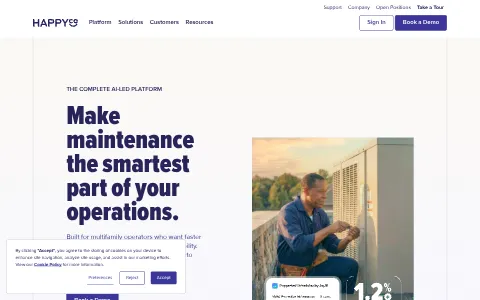
HappyCo is a property operations software company serving multifamily and residential property managers. Its platform includes mobile inspections, work order and maintenance management, unit turn management, capital projects tracking, and AI-powered operational insights. HappyCo integrates with property management systems like Yardi, RealPage and Entrata. Property management companies and maintenance teams use HappyCo to improve efficiency, reduce vacancy time, maintain asset quality and enhance resident satisfaction.
I have a problem with HappyCo
Select the type of problem you're facing to help us and other users.
Recent User Report Trends for HappyCo
Aggregated reports in the last 48 hours.
No user reports about HappyCo in the last 48 hours.
View live report trends
Add your report to help, or tap to skip
Report a problem to see the chart, or skip
What is HappyCo's current status?
All systems are operational
No active incidents reported.
Incident history: past 7 days
times in UTCToday
Yesterday
Oct 30, 2026
Oct 29, 2026
Oct 28, 2026
Oct 27, 2026
Oct 26, 2026
User Reports for HappyCo
Recent issues reported by users from around the world.
No user reports for HappyCo in the last 30 days.
Experiencing an issue? Add your report:
Stop refreshing this page
We'll email you the moment HappyCo goes down — and again when it's back.
Performance Insights
Get a premium status page for your own site — $0, forever
- 1Add your site
- 2Verify you own it
- 3Keep it free
- · Any domain you own. Free while the page stays live.
Any domain you own. Free while your verified page stays live, no credit card.
About HappyCo & Technical Insights
What this service does and the technologies behind it.
Read the tech stack as text▾
Overview: A polished, HubSpot-centric B2B growth stack that pairs premium typography and motion with layered analytics for property-tech demand generation.
What stands out
- HubSpot's chat, CRM, and analytics trio indicates an inbound-led subscription funnel rather than pure outbound sales.
- Adobe Fonts with legacy Typekit suggests design maturity but also potential technical debt in font delivery.
- LottieFiles animations show investment in brand experience despite a B2B enterprise audience.
- Hotjar plus Google Analytics, GTM, and ad pixels reveals a culture of continuous conversion optimization.
Technologies happyco.com uses
- Google Font API — Loads web fonts as fallback or complement to Adobe Fonts.
- Facebook Pixel — Tracks visitors for Meta retargeting and audience expansion.
- Hotjar — Session recordings and heatmaps reveal UX friction on demo forms and pricing pages, guiding conversion optimization.
- Linkedin Insight Tag — LinkedIn conversion tracking for B2B ad campaigns.
- Cloudflare — CDN, DNS, and security protection for performance and uptime.
- LottieFiles — Lottie animations deliver lightweight product storytelling without heavy video, improving page speed and engagement.
- Amazon Web Services — Hosts site infrastructure, indicating scalable cloud backend.
- jQuery — Legacy JS library supporting interactive elements on older pages.
- Adobe Fonts — Premium Adobe Fonts signal a design-led brand, reinforcing enterprise credibility for multifamily property managers.
- HubSpot Chat — Live chat captures B2B inquiries and routes them into HubSpot CRM for demo scheduling and lead nurturing.
- Google Analytics — Measures traffic and user behavior for marketing decisions.
- HubSpot Analytics — Connects site behavior to HubSpot CRM, showing campaign ROI and lead attribution for subscription sales.
- Unpkg — Serves JavaScript packages quickly, likely powering modern interactive components on this marketing site.
- Typekit (Adobe Fonts) — Legacy Typekit reference shows long-standing Adobe Fonts usage and consistent brand typography across pages.
- HSTS — Enforces HTTPS, securing visitor data and trust.
- HubSpot — Core marketing and CRM platform for lead capture, nurturing, and pipeline management in B2B SaaS.
- Google Tag Manager — Central tag management for analytics and marketing pixels.
- Linkedin Ads — LinkedIn Ads tracking enables B2B retargeting and audience building aimed at multifamily property managers.
- Google Hosted Libraries — Hosts common JS libraries like jQuery, providing cached delivery for legacy scripts and faster load times.
How these technologies work together
- HubSpot requires HubSpot Analytics — HubSpot Analytics is a native reporting layer inside HubSpot, tying web activity to contact records.
- Adobe Fonts overlaps with Typekit (Adobe Fonts) — Adobe Fonts and legacy Typekit both serve the same font library, likely duplicate references.
- HubSpot requires HubSpot Chat — HubSpot Chat is a native module inside HubSpot, capturing conversations directly into the CRM for lead follow-up.
- Amazon Web Services integrates with Cloudflare — Cloudflare CDN and security proxy traffic to AWS-hosted infrastructure for speed and protection.
- HubSpot integrates with Linkedin Ads — LinkedIn Ads target property managers, feeding leads into HubSpot CRM for nurturing.
- LottieFiles requires Unpkg — LottieFiles animations likely use a JS player loaded via unpkg for lightweight motion.
- Google Tag Manager integrates with HubSpot — GTM centralizes HubSpot tracking code deployment alongside other marketing tags.
- Google Analytics works alongside Hotjar — Hotjar session recordings add UX context to Google Analytics traffic metrics for optimization.
- Google Hosted Libraries runs on jQuery — jQuery is commonly served via Google Hosted Libraries for cached, fast delivery.
- Linkedin Ads overlaps with Linkedin Insight Tag — LinkedIn Ads and Insight Tag both track LinkedIn visitors, potentially overlapping retargeting audiences.
- Google Analytics works alongside HubSpot — HubSpot and Google Analytics together measure lead sources and site performance.
- Hotjar works alongside HubSpot — Hotjar behavior data can be paired with HubSpot lead records to optimize forms and demos.
- Facebook Pixel integrates with Google Tag Manager — Google Tag Manager often deploys Facebook Pixel for centralized retargeting campaign management.
- Google Tag Manager integrates with Linkedin Insight Tag — LinkedIn Insight Tag can be deployed via Google Tag Manager for conversion tracking.
- Google Tag Manager integrates with Hotjar — Hotjar tracking is often loaded through Google Tag Manager for easier deployment control.
- Cloudflare integrates with HSTS — Cloudflare can enforce HSTS headers, strengthening HTTPS security for site visitors.
- Adobe Fonts overlaps with Google Font API — Site loads both Adobe and Google fonts, potentially redundant requests for typography.
- Adobe Fonts works alongside LottieFiles — Premium fonts and Lottie animations together create a polished, branded visual experience.


How to fix HappyCo not working
HappyCo provides property operations software for apartment and residential property managers. Teams use it for mobile inspections, work orders, unit turns, capital projects and reports, and it connects to property management systems. Find your symptom below. Most problems come from a sign-in, a sync with the property system, an app or device setting, or the platform itself. Keep photos and notes on the device until they have synced.
Jump to what you are seeing
- Website Down
- App Crashing
- Login Failed
- Syncing Issues
- Photo Upload Failed
- Reports Not Loading
- Dashboard Error
- API Error
Website Down
The HappyCo website does not load for you.
- Open the page in a private window and on another network.
- Check status.happyco.com for an active incident.
- If only your network is affected, ask IT to check the firewall.
App Crashing
The mobile app closes unexpectedly, or it will not open.
- Update the app from your app store, and restart the device.
- Check there is enough free storage on the device.
- Check status.happyco.com, and report the device model and the time.
Login Failed
Sign-in is refused.
- If the message says the password is wrong, reset it through the official route and check spam.
- Check you are using your company account and that it is active.
- Try a private window to rule out an old session.
Syncing Issues
Inspections or work orders do not sync to the office system.
- Check the device has a connection, and leave the app open until sync finishes.
- Check the property system connection has not expired.
- Check status.happyco.com, and keep the notes on the device until the sync works.
Photo Upload Failed
Photos do not upload, or they stay on the device.
- Check the connection is stable, and try uploading one photo at a time.
- Check the photo is in a supported format and is not too large.
- Check status.happyco.com, and retry once the connection is steady.
Reports Not Loading
Reports stay blank, or the figures look out of date.
- Check the date range and the properties you have selected.
- Allow time for recent activity to sync before you read the figures.
- Check status.happyco.com, and report the report name and the time if it stays blank.
Dashboard Error
The dashboard shows an error, or it does not update.
- Reload in a private window, and try another browser.
- Check you have access to that property or portfolio.
- Check status.happyco.com, and report the page name and the time.
API Error
Calls to the HappyCo API fail or return an error.
- Check the status code. An access error usually means the key is wrong, too many calls means you should slow down, and a server error means a service-side problem.
- Confirm the key has not been revoked and is for the right account.
- Retry with a growing delay, and check status.happyco.com if several calls fail together.
Still not working?
Contact your organisation's HappyCo administrator or your property operations lead first, since they manage properties, users and settings. For a platform-wide problem, contact HappyCo support through the help option in the app or on the HappyCo website. Have your organisation name, the property or work order reference, the exact error text, and the time with your time zone. Never send residents' personal details or passwords in a support message. Live incident updates are on status.happyco.com.
Most property-software problems come from a sync that has not finished, a device setting or a sign-in, and they usually clear once that is checked. The status page shows live incidents, so you can see whether the problem is on HappyCo's side.
Frequently asked questions about HappyCo
Is HappyCo down right now?
No. Based on the latest status data on this page, HappyCo (happyco.com) is up and running normally. The most recent incident, "Call Complete Outage", was resolved (last update Aug 9, 2026).
What should I do if HappyCo is not working for me?
First rule out your side: reload the page, try another browser or device, clear the cache and cookies for happyco.com, flush your DNS cache and turn off any VPN or proxy. Then compare with this page: if the status shows an incident, or many users reported problems in the last 48 hours, the issue is on the service's end and usually clears up without any action from you. The troubleshooting steps on this page go through each check in order.
What was the most recent HappyCo incident?
The most recent incident on record is "Call Complete Outage", last updated on Aug 9, 2026. It has been resolved.
How many people reported problems with HappyCo recently?
No user reports about HappyCo were submitted in the last 48 hours.
How do I report a problem with HappyCo?
Use the report buttons at the top of this page, or describe the problem in the user reports section. Every report is counted in the 48-hour trend chart and helps other people see whether the problem is widespread.
Where is the official HappyCo status page?
The official status page for HappyCo is status.happyco.com.
Related Services & Domains
Other websites and services in the same category as happyco.com.


Related Keywords
Common themes, topics and technologies associated with happyco.com.