Status updated

GoToConnect down?
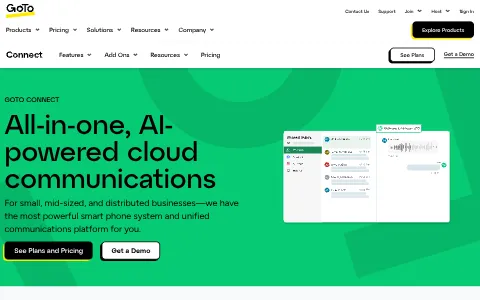
GoTo Connect is a cloud communications platform from GoTo that combines a business phone system, video meetings, team messaging, and contact center capabilities in one solution. It offers features such as a visual dial plan editor, call queues, auto attendants, voicemail, SMS, call recording, analytics and CRM integrations, with desktop and mobile apps. GoTo Connect is designed for small and medium-sized businesses that want easy-to-manage, reliable communications for hybrid work and customer service.
I have a problem with GoToConnect
Select the type of problem you're facing to help us and other users.
Recent User Report Trends for GoToConnect
Aggregated reports in the last 48 hours.
No user reports about GoToConnect in the last 48 hours.
View live report trends
Add your report to help, or tap to skip
Report a problem to see the chart, or skip
What is GoToConnect's current status?
All systems are operational
No active incidents reported.
Incident history: past 7 days
times in UTCToday
Yesterday
Oct 30, 2026
Oct 29, 2026
Oct 27, 2026
Oct 26, 2026
User Reports for GoToConnect
Recent issues reported by users from around the world.
No user reports for GoToConnect in the last 30 days.
Experiencing an issue? Add your report:
Stop refreshing this page
We'll email you the moment GoToConnect goes down — and again when it's back.
About GoToConnect & Technical Insights
What this service does and the technologies behind it.
Read the tech stack as text▾
Overview: An enterprise Microsoft-stack marketing machine, with Sitecore on ASP.NET behind Azure's edge, a LinkedIn-fuelled demand engine, and a Vercel sidecar for speed.
What stands out
- Marketing delivery is deliberately split: Sitecore on Azure for governed enterprise content, Vercel for rapid campaign experiments, implying a large marketing org with competing velocity needs.
- LinkedIn Ads paired with its insight tag is the primary paid acquisition signal, pointing to account-based targeting of IT and CX buyers rather than broad consumer channels.
- AWS coexisting with Azure suggests a hybrid estate grown through product expansion and acquisition, not a clean single-cloud mandate.
- Sitecore and ASP.NET indicate the site is run by an established enterprise web team, not a startup shipping on a headless JavaScript stack.
Technologies gotoconnect.com uses
- Sitecore — Enterprise .NET CMS runs regionalized content, campaign landing pages and lead capture across a complex multi-product SaaS portfolio.
- DigiCert — Premium CA certificates on a communications vendor's site reinforce the security trust that phone-system buyers demand before signing.
- Vercel — A modern frontend sidecar lets growth teams ship Next.js campaign pages without waiting on the Sitecore release cycle.
- Linkedin Insight Tag — Attributes and retargets visitors arriving from LinkedIn campaigns.
- Amazon Web Services — Secondary cloud footprint for product-adjacent services and experiments.
- Azure Edge Network — Microsoft's global edge delivers GoTo's marketing content with low latency, signalling an Azure-first enterprise stack built for worldwide B2B buyers.
- Microsoft ASP.NET — The runtime beneath Sitecore reveals a Microsoft-centric engineering organization favouring .NET talent and Azure-native tooling.
- Linkedin Ads — Paid campaigns target IT and CX decision-makers on the professional network where B2B software demand actually forms.
- HSTS — Enforces HTTPS across a trust-sensitive communications platform.
How these technologies work together
- Microsoft ASP.NET requires Sitecore — Sitecore cannot render without the ASP.NET runtime, locking this marketing site into Microsoft's application stack end to end.
- Linkedin Ads integrates with Linkedin Insight Tag — The insight tag feeds conversion data back to LinkedIn Ads, closing attribution for the campaigns that fill this funnel.
- Azure Edge Network runs on Sitecore — Sitecore origin content is cached and served through Microsoft's edge, keeping the entire publishing pipeline inside Azure.
- Azure Edge Network runs on Microsoft ASP.NET — The Azure edge network fronts ASP.NET origins, giving global buyers fast page loads without re-platforming the application.
- Sitecore works alongside Vercel — Vercel hosts fast experiment and campaign pages while Sitecore owns governed corporate content, giving marketing two release speeds.
- Amazon Web Services runs on Vercel — Vercel's edge functions execute on AWS infrastructure, quietly making Amazon the runtime beneath the modern frontend layer.
- DigiCert works alongside Sitecore — DigiCert certificates protect Sitecore-hosted login and demo flows, matching enterprise procurement expectations for a telecom vendor.
- Amazon Web Services works alongside Azure Edge Network — Microsoft edge plus AWS origins show deliberate multi-cloud hedging rather than a single-vendor infrastructure commitment.





Trust & Safety Checks
Public registration, DNS and certificate records UptimeCard checked independently for the domain gotoconnect.com.
Secure, encrypted connection
Everything sent to this site is encrypted, using a valid certificate from DigiCert.
Domain name active since 2015
gotoconnect.com has been a registered domain since July 2015 — 11 years at the same web address.
Domain lock enabled
The registry blocks unauthorised transfers, deletion and record changes, so the domain cannot be hijacked.
Registered through 2027
The owner has kept this domain secured until July 2027.
Redundant DNS setup
3 nameservers answer for this domain, so it stays reachable even if one goes offline.
Hosted by Amazon.com, Inc.
Served from professional infrastructure located in United States.
Records last verified September 2026.
How to fix GoToConnect not working
GoTo Connect is a business phone and communications service. Teams use it to make and receive calls, send messages, hold video meetings and share files. Find your symptom below. Most problems come from a sign-in, a device or audio setting, a network connection, or the platform itself. Check your microphone and internet connection before you assume the service is down. For an urgent call, use another phone line.
Jump to what you are seeing
- Call Failure
- Login Failed
- Website Down
- Audio Issues
- App Crashing
- Messaging Failed
- Video Issues
- Connection Error
Call Failure
Calls do not connect, or they drop.
- Check your internet connection, and try switching between Wi-Fi and a wired connection.
- Check your phone or app is signed in to the right line.
- Check status.goto.com, and report the number and the time to your administrator.
Login Failed
Sign-in is refused.
- If the password is refused, reset it through the official route and check spam.
- Check you are using the account that owns the line.
- Try a private window to rule out an old session.
Website Down
The GoTo Connect website does not load for you.
- Open the page in a private window and on another network.
- Check status.goto.com for an active incident.
- If only your network is affected, ask IT to check the firewall.
Audio Issues
Calls have poor sound, echo, or no sound.
- Check your microphone and speaker are the ones selected in the app.
- Move closer to your Wi-Fi router, or use a wired connection, and close other large downloads.
- Check status.goto.com, and report the time to your administrator.
App Crashing
The app closes unexpectedly, or it will not open.
- Update the app from your app store or the official site, and restart the device.
- Check there is enough free storage on the device.
- Check status.goto.com, and report the device model and the time.
Messaging Failed
Messages do not send or arrive.
- Check the other person is signed in and has a connection.
- Send the message again if it shows a failed mark.
- Check status.goto.com, and report the contact name and the time.
Video Issues
Video meetings freeze, or the camera does not show.
- Allow the app to use your camera in your device settings, and check no other program is using it.
- Turn off video for a moment to reduce the load on your connection.
- Check status.goto.com, and report the meeting time to your administrator.
Connection Error
The app cannot reach the service.
- Check your internet connection, and the date and time settings on your device.
- Restart the app, then the device, if it still fails.
- Check status.goto.com, and report the time to your administrator.
Still not working?
Contact your organisation's GoTo Connect administrator first, since they manage lines, users and settings. For a platform-wide problem, contact GoTo support through the help option in the app or on the GoTo website. Have your organisation name, the phone line or extension, the exact error text, and the time with your time zone. Never send passwords or private call content in a support message. For an urgent call, use another phone line. Live incident updates are on status.goto.com.
Most calling problems come from a network connection, an audio setting or a sign-in, and they usually clear once that is checked. The status page shows live incidents, so you can see whether the problem is on GoTo's side.
Frequently asked questions about GoToConnect
Is GoToConnect down right now?
No. Based on the latest status data on this page, GoToConnect (gotoconnect.com) is up and running normally. The most recent incident, "LogMeIn Rescue, Pro, Central, and G2ARS v5 session failure", was resolved (last update Oct 29, 2026).
What should I do if GoToConnect is not working for me?
First rule out your side: reload the page, try another browser or device, clear the cache and cookies for gotoconnect.com, flush your DNS cache and turn off any VPN or proxy. Then compare with this page: if the status shows an incident, or many users reported problems in the last 48 hours, the issue is on the service's end and usually clears up without any action from you. The troubleshooting steps on this page go through each check in order.
What was the most recent GoToConnect incident?
The most recent incident on record is "LogMeIn Rescue, Pro, Central, and G2ARS v5 session failure", last updated on Oct 29, 2026. It has been resolved.
How many people reported problems with GoToConnect recently?
No user reports about GoToConnect were submitted in the last 48 hours.
How do I report a problem with GoToConnect?
Use the report buttons at the top of this page, or describe the problem in the user reports section. Every report is counted in the 48-hour trend chart and helps other people see whether the problem is widespread.
Where is the official GoToConnect status page?
The official status page for GoToConnect is status.goto.com.
Related Services & Domains
Other websites and services in the same category as gotoconnect.com.


Related Keywords
Common themes, topics and technologies associated with gotoconnect.com.