Status updated

Fathom down?
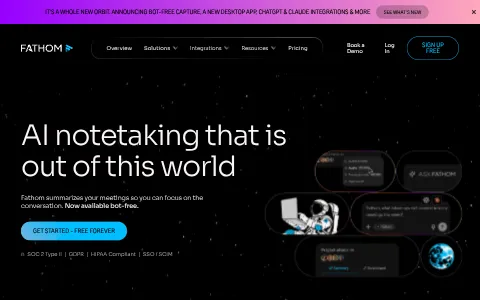
Fathom is an AI meeting assistant that records, transcribes and summarises video calls on Zoom, Google Meet and Microsoft Teams. It automatically produces meeting summaries, action items and highlights, letting participants focus on the conversation instead of taking notes. Fathom can sync notes to CRMs such as Salesforce and HubSpot, share clips, and answer questions about past meetings through AI search. Its free plan offers unlimited recordings. Sales teams, customer success managers, recruiters and professionals use Fathom to save time and keep teams aligned.
I have a problem with Fathom
Select the type of problem you're facing to help us and other users.
Recent User Report Trends for Fathom
Aggregated reports in the last 48 hours.
No user reports about Fathom in the last 48 hours.
View live report trends
Add your report to help, or tap to skip
Report a problem to see the chart, or skip
What is Fathom's current status?
All systems are operational
No active incidents reported.
Incident history: past 7 days
times in UTCToday
Yesterday
Oct 30, 2026
Oct 29, 2026
Oct 28, 2026
Oct 27, 2026
Oct 26, 2026
User Reports for Fathom
Recent issues reported by users from around the world.
No user reports for Fathom in the last 30 days.
Experiencing an issue? Add your report:
Stop refreshing this page
We'll email you the moment Fathom goes down — and again when it's back.
About Fathom & Technical Insights
What this service does and the technologies behind it.
Read the tech stack as text▾
Overview: A privacy-conscious B2B lead generation stack combining advanced ad attribution, interactive forms, heatmapping, and CRM automation.
What stands out
- DoubleClick Floodlight is rare for a marketing site and indicates substantial spend on Google display and search conversion tracking.
- Typeform's direct HubSpot integration turns interactive forms into an automated B2B lead pipeline.
- CookieYes sits in front of Floodlight, GTM, and ad pixels, reflecting strict global privacy compliance.
- Layering Amplitude, Crazy Egg, and Google Analytics shows a rigorous, multi-level approach to understanding user behavior.
Technologies fathom.video uses
- Facebook Pixel — Retargets B2B prospects on Meta platforms.
- Typeform — Powers interactive lead forms and surveys, reflecting a focus on high-quality B2B lead capture and user research.
- Linkedin Insight Tag — Tracks LinkedIn ad conversions for professional targeting.
- jsDelivr — CDN for open-source JS libraries, improving load times and reliability for front-end dependencies.
- Cloudflare — Provides CDN, security, and performance.
- Crazy Egg — Runs heatmaps and session recordings to understand visitor interaction and improve landing page conversion.
- jQuery — Powers foundational DOM manipulation for plugins.
- DoubleClick Floodlight — Tracks ad conversions from Google Campaign Manager, indicating sophisticated paid acquisition and ROI focus.
- Amplitude — Measures product usage and user behavior, showing a data-driven approach to optimizing the video analytics platform.
- Google Analytics — Measures overall web traffic and behavior.
- HubSpot Analytics — Tracks page views and form submissions inside HubSpot, connecting web activity to CRM leads.
- CookieYes — Manages GDPR/CCPA cookie consent, ensuring compliance for global B2B audiences and ad tracking.
- HubSpot — Serves as CRM and marketing automation backend, central to B2B lead nurturing and sales pipeline.
- Google Tag Manager — Deploys marketing tags without code changes.
- Slick — Delivers carousels for testimonials or feature highlights, enhancing marketing page engagement.
- HTTP/3 — Enables faster, modern transport for performance.
How these technologies work together
- HubSpot runs on HubSpot Analytics — HubSpot Analytics reports web activity inside the CRM, linking page views to known leads and deal stages.
- jQuery requires Slick — Slick carousel requires jQuery to operate, so jQuery is loaded as a foundation for this interactive component.
- HubSpot integrates with Typeform — Typeform submissions flow directly into HubSpot CRM, automating lead qualification and follow-up for B2B prospects.
- DoubleClick Floodlight integrates with Google Tag Manager — Floodlight conversion tags are deployed through GTM, enabling flexible tracking of paid search and display campaigns.
- CookieYes integrates with Google Tag Manager — CookieYes blocks GTM tags until consent is granted, ensuring compliance for analytics and advertising pixels.
- jsDelivr requires Slick — Slick is served from jsDelivr CDN, ensuring fast, versioned delivery for the carousel library.
- CookieYes integrates with DoubleClick Floodlight — CookieYes gates Floodlight tracking until consent, keeping ad conversion data compliant with privacy regulations.
- DoubleClick Floodlight works alongside Google Analytics — Floodlight tracks ad conversions while Google Analytics measures site behavior, together providing acquisition-to-action performance data.
- Amplitude integrates with Google Tag Manager — Amplitude is loaded via GTM, simplifying deployment of product analytics without hard-coded scripts.
- HubSpot works alongside Linkedin Insight Tag — LinkedIn Insight Tag tracks ad conversions while HubSpot captures and nurtures those professional leads.
- Crazy Egg works alongside Google Analytics — Crazy Egg heatmaps complement Google Analytics metrics, revealing why pages underperform through visual behavior.
- Facebook Pixel works alongside HubSpot — Facebook Pixel retargets visitors while HubSpot manages lead workflows, uniting paid social and CRM.
- Cloudflare runs on HTTP/3 — Cloudflare serves the site over HTTP/3, enabling faster, multiplexed connections for global visitors.


Trust & Safety Checks
Public registration, DNS and certificate records UptimeCard checked independently for the domain fathom.video.
DNS managed by Cloudflare
2 nameservers answer for this domain, so it stays reachable even if one goes offline.
Hosted by Cloudflare, Inc.
Served from professional infrastructure located in Canada.
Records last verified July 2026.
How to fix Fathom not working
Fathom is an AI meeting assistant that records, transcribes and summarises video calls on Zoom, Google Meet and Microsoft Teams, and it can send notes to a CRM. Sales, customer success and other teams use it. Find your symptom below. Make sure everyone in a meeting knows it is being recorded, and follow your own consent rules before you use a recording.
Jump to what you are seeing
Website
The Fathom website does not load for you.
- Open the page in a private window and on another network.
- Check status.fathom.video for an active incident.
- If only your network is affected, ask IT to check the firewall.
Meeting Recording
A meeting is not recorded, or the recording is missing afterwards.
- Check Fathom is connected to your calendar or meeting app, and that it joined the meeting.
- Check the meeting was recorded by the assistant, not only on another device.
- Allow time for processing. A recording can take a while to appear after the meeting ends.
- If recordings are missing for every meeting, check the status page and send the time to support.
Transcription
A transcript is missing, incomplete, or in the wrong language.
- Check the language setting for the meeting. A wrong language setting gives a poor transcript.
- Check the recording has finished processing before you look for the transcript.
- Check the audio quality. Heavy background noise or many people talking at once lowers accuracy.
- If the transcript is still missing, send the meeting title and the time to support.
Summary Not Appearing
The meeting summary or the action items do not show.
- Wait for the transcript to finish, since the summary is made from it.
- Check the summary setting is switched on for your account.
- Reload the page in a private window.
Calendar Sync Not Working
Meetings do not appear in Fathom, or the assistant does not join them.
- Check the calendar connection is still active and has permission to read events.
- Check the meeting has a video link Fathom supports, and that the link is in the invitation.
- Check the time zone on the calendar is correct.
- Reconnect the calendar, then check the next meeting.
Still not working?
If it still does not work, contact your Fathom administrator first, since they manage team settings. For a platform-wide problem, contact Fathom support through the help option in the app or on fathom.video. Have the meeting title, the time it took place with your time zone, the calendar or video app used, and the exact error text. Do not send meeting recordings or transcripts in a support message. Live incident updates are on status.fathom.video.
Most meeting-assistant problems come from a calendar connection, a missing link or a processing delay, and they usually clear once that is checked. The status page shows live platform incidents, so you can see whether the problem is on Fathom's side.
Frequently asked questions about Fathom
Is Fathom down right now?
No. Based on the latest status data on this page, Fathom (fathom.video) is up and running normally. The most recent incident, "Some calls slow to start and process", was resolved (last update Sep 21, 2026).
What should I do if Fathom is not working for me?
First rule out your side: reload the page, try another browser or device, clear the cache and cookies for fathom.video, flush your DNS cache and turn off any VPN or proxy. Then compare with this page: if the status shows an incident, or many users reported problems in the last 48 hours, the issue is on the service's end and usually clears up without any action from you. The troubleshooting steps on this page go through each check in order.
What was the most recent Fathom incident?
The most recent incident on record is "Some calls slow to start and process", last updated on Sep 21, 2026. It has been resolved.
How many people reported problems with Fathom recently?
No user reports about Fathom were submitted in the last 48 hours.
How do I report a problem with Fathom?
Use the report buttons at the top of this page, or describe the problem in the user reports section. Every report is counted in the 48-hour trend chart and helps other people see whether the problem is widespread.
Where is the official Fathom status page?
The official status page for Fathom is status.fathom.video.
Related Services & Domains
Other websites and services in the same category as fathom.video.


Related Keywords
Common themes, topics and technologies associated with fathom.video.