Status updated

Myfitapp down?
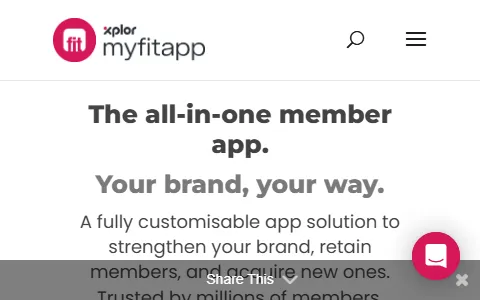
MyFitApp is a white-label mobile app and software platform for fitness businesses such as gyms, health clubs, studios and personal trainers. It lets operators offer a branded app where members can book classes, view schedules, check in, follow workout programs, track progress, receive push notifications and join challenges. The platform integrates with popular club management and booking systems, so member data stays in sync. MyFitApp helps fitness brands boost engagement and retention, communicate directly with members, and deliver a modern digital experience that keeps people coming back.
I have a problem with Myfitapp
Select the type of problem you're facing to help us and other users.
Recent User Report Trends for Myfitapp
Aggregated reports in the last 48 hours.
No user reports about Myfitapp in the last 48 hours.
View live report trends
Add your report to help, or tap to skip
Report a problem to see the chart, or skip
What is Myfitapp's current status?
All systems are operational
No active incidents reported.
Incident history: past 7 days
times in UTCToday
Yesterday
Oct 30, 2026
Oct 29, 2026
Oct 28, 2026
Oct 27, 2026
Oct 26, 2026
User Reports for Myfitapp
Recent issues reported by users from around the world.
No user reports for Myfitapp in the last 30 days.
Experiencing an issue? Add your report:
Stop refreshing this page
We'll email you the moment Myfitapp goes down — and again when it's back.
Performance Insights
Get a premium status page for your own site — $0, forever
- 1Add your site
- 2Verify you own it
- 3Keep it free
- · Any domain you own. Free while the page stays live.
Any domain you own. Free while your verified page stays live, no credit card.
About Myfitapp & Technical Insights
What this service does and the technologies behind it.
Read the tech stack as text▾
Overview: A WordPress-based B2B SaaS marketing site using Divi and a suite of acquisition, localization, and analytics tools to sell white-label gym apps.
What stands out
- The presence of WPML and LinkedIn Ads suggests the company targets international fitness businesses through paid B2B channels.
- Using Divi instead of a custom theme indicates a marketing team that values rapid content updates over bespoke design.
- CloudFront and AWS Certificate Manager show a self-serve AWS infrastructure approach for global content delivery.
- Intercom plus Contact Form 7 indicates a dual lead-capture strategy: real-time chat for hot prospects and forms for slower inquiries.
Technologies myfitapp.com uses
- AWS Certificate Manager — Provides free SSL certificates for CloudFront, ensuring secure HTTPS for the marketing site.
- Google Font API — Loads custom web fonts for styled Divi typography.
- Swiper — Touch-enabled slider for showcasing app features, testimonials, or client logos on mobile.
- Amazon CloudFront — CDN speeds global delivery of the WordPress site and assets, matching their global HQ and audience.
- WordPress — CMS powering the marketing site and content.
- Linkedin Insight Tag — Tracks LinkedIn ad conversions and retargets B2B site visitors.
- Contact Form 7 — Simple contact form plugin used to capture demo requests and sales inquiries from gym prospects.
- Amazon Web Services — Cloud infrastructure hosting static assets and services behind the scenes.
- jQuery — JavaScript library foundation for many themes and plugins.
- WPML — Multilingual plugin suggests they serve gyms and fitness clubs across multiple languages or target international markets.
- Yoast SEO — SEO plugin optimizes content to attract organic searches like 'gym app platform'.
- Easy Pie Chart — Animated circular charts visualize app metrics or client results on landing pages.
- Google Analytics — Tracks website traffic and marketing campaign performance.
- RSS — Provides syndicated content feed for blog updates.
- Divi — Visual page builder enabling non-developers to rapidly create and update the marketing site without code.
- reCAPTCHA — Protects contact and demo request forms from spam.
- MySQL — Database storing WordPress content, users, and settings.
- Intercom — Live chat and in-app messaging for real-time sales demos and customer support on the SaaS site.
- FitVids.JS — Makes embedded demo or testimonial videos responsive inside Divi layouts.
- Google Tag Manager — Centralizes management of marketing and analytics tags.
- Linkedin Ads — LinkedIn Ads pixel indicates B2B lead generation targeting fitness club owners and managers.
- Nginx — High-performance web server delivering the WordPress site.
- jQuery Migrate — Maintains backward compatibility for older jQuery-dependent Divi or WordPress plugins.
- PHP — Server-side language running WordPress and its plugins.
- Open Graph — Controls how pages preview when shared on social media.
- Site Kit — Google's official plugin connects WordPress to Analytics, Search Console, and Ads to monitor acquisition from one dashboard.
- Priority Hints — Optimizes loading of critical resources to improve page speed.
- PWA — Makes the marketing site installable and mobile-friendly for prospective gym clients.
- HSTS — Enforces HTTPS connections for security and trust.
How these technologies work together
- jQuery requires jQuery Migrate — jQuery Migrate requires jQuery to restore deprecated APIs for older plugins.
- Amazon CloudFront integrates with AWS Certificate Manager — AWS Certificate Manager issues SSL certificates used by CloudFront to serve HTTPS content.
- Divi runs on WordPress — Divi is a WordPress theme and builder that cannot run without WordPress as its CMS foundation.
- Amazon CloudFront runs on Amazon Web Services — Amazon CloudFront is a content delivery network service within AWS infrastructure.
- MySQL requires WordPress — WordPress stores all content and settings in MySQL, making it essential.
- PHP requires WordPress — WordPress is written in PHP and requires PHP to execute.
- Linkedin Ads integrates with Linkedin Insight Tag — LinkedIn Insight Tag tracks conversions and retargeting for LinkedIn Ads campaigns.
- WordPress runs on WPML — WPML is a WordPress plugin that adds multilingual capabilities to WordPress content.
- Site Kit runs on WordPress — Google Site Kit is a WordPress plugin connecting Google products to the CMS.
- WordPress runs on Yoast SEO — Yoast SEO operates as a WordPress plugin to optimize pages and posts.
- Google Analytics integrates with Google Tag Manager — Google Tag Manager deploys the Google Analytics tag and other marketing scripts.
- Contact Form 7 integrates with reCAPTCHA — reCAPTCHA integrates with Contact Form 7 to block spam submissions on demo request forms.
- Nginx runs on WordPress — Nginx acts as the web server delivering the PHP-based WordPress site.
- Contact Form 7 runs on WordPress — Contact Form 7 is a WordPress plugin that creates and manages forms.
- Google Analytics integrates with Site Kit — Site Kit integrates Google Analytics into the WordPress dashboard for traffic insights.
- Divi works alongside FitVids.JS — FitVids makes embedded videos responsive within Divi's page builder layouts.
- Divi works alongside Swiper — Swiper provides touch sliders that Divi uses for hero and testimonial carousels.
- Open Graph integrates with Yoast SEO — Yoast SEO outputs Open Graph meta tags for better social sharing previews.
- RSS runs on WordPress — WordPress automatically provides RSS feeds for blog and content syndication.
- Contact Form 7 works alongside Intercom — Intercom chat complements CF7 forms by offering immediate engagement alongside async demo requests.
- Divi works alongside Google Font API — Divi uses Google Font API to load custom typography for its layouts.
- Divi works alongside Easy Pie Chart — Easy Pie Chart adds animated progress visuals to Divi-built marketing sections.





Trust & Safety Checks
Public registration, DNS and certificate records UptimeCard checked independently for the domain myfitapp.com.
Secure, encrypted connection
Everything sent to this site is encrypted, using a valid certificate from Amazon.
Domain name active since 2009
myfitapp.com has been a registered domain since December 2009 — 16 years at the same web address.
Domain lock enabled
The registry blocks unauthorised transfers, so the domain cannot be hijacked.
DNS managed by AWS Route 53
4 nameservers answer for this domain, so it stays reachable even if one goes offline.
Hosted by Amazon.com, Inc.
Served from professional infrastructure located in Germany.
Records last verified August 2026.
How to fix Myfitapp not working
Not being able to book your class, or having members who cannot, is frustrating, so here is the quick route. myFitApp powers the branded app of your own gym or club and connects to the gym's management software, so the right fix depends on whether you are a member or the person who runs the gym. Both are covered below.
Jump to what you are seeing
Login Failed
The app does not accept your sign-in. Members normally use the same login they already have with their gym's management software, not a separate myFitApp account.
- Check you are using the email address and password registered with your gym.
- Use the password reset option, then wait a minute for the email and check spam.
- Make sure the app is on the latest version from the app store.
- If it still fails, ask your gym's front desk to check your membership is active and your email is correct.
App Crashing
The app closes on launch or while you use it, often after an update or when the phone is short of space.
- Fully close the app and open it again.
- Update the app and your phone's operating system.
- Free some storage space on the phone and restart it.
- Uninstall and reinstall the app, then sign in again. Your bookings and membership are kept by your gym's system, not on the phone.
Booking Failed
A class or appointment cannot be booked. Often it is a rule of the gym rather than a fault.
- Update the app first, since an old version is a common cause of booking errors.
- Check the class is not full and that booking is still open, as many gyms close booking shortly before the class.
- Check your membership is active and includes the class, and that you have not reached a booking limit.
- If the class looks bookable but fails, ask the front desk to book it for you and tell them about the problem.
Payment Failed
A payment or membership renewal was declined.
- Check the card details and expiry date.
- Make sure the card has funds and is allowed for online payments; your bank may have blocked it.
- Try another card or method, and avoid paying twice.
- Ask your gym to confirm what was charged, since payments are handled by your gym's own system.
Syncing Issues
Schedules, bookings or check-ins differ from what the gym's system shows.
- Pull to refresh in the app and wait a few minutes; syncing with the gym's management software is not always instant.
- Sign out and in again to force a fresh load.
- If you run the gym, check that the connection to your management software is still active.
- Note which booking or check-in differs and when, so it can be traced.
Website Down
The myFitApp website does not load.
- Try another browser or network.
- Check the status page for known issues.
- If you are a member, the app itself may still work even when the website does not.
Still not working?
Members should contact their gym first with their name, the class and what they saw. If you run the gym, use the myFitApp help desk (help.myfitapp.de/en) or email info@innovatise.com with your club name, the affected feature and a screenshot. Live incident updates are on status.myfitapp.com.
Most app issues are fixed by an update or a refresh, and bookings and memberships are stored with your gym, so they are not lost when the app misbehaves. If it is a platform incident, it is typically resolved within hours.
Frequently asked questions about Myfitapp
Is Myfitapp down right now?
No. Based on the latest status data on this page, Myfitapp (myfitapp.com) is up and running normally. The most recent incident, "Ticketed booking not pulling through to app", was resolved (last update Oct 15, 2026).
What should I do if Myfitapp is not working for me?
First rule out your side: reload the page, try another browser or device, clear the cache and cookies for myfitapp.com, flush your DNS cache and turn off any VPN or proxy. Then compare with this page: if the status shows an incident, or many users reported problems in the last 48 hours, the issue is on the service's end and usually clears up without any action from you. The troubleshooting steps on this page go through each check in order.
What was the most recent Myfitapp incident?
The most recent incident on record is "Ticketed booking not pulling through to app", last updated on Oct 15, 2026. It has been resolved.
How many people reported problems with Myfitapp recently?
No user reports about Myfitapp were submitted in the last 48 hours.
How do I report a problem with Myfitapp?
Use the report buttons at the top of this page, or describe the problem in the user reports section. Every report is counted in the 48-hour trend chart and helps other people see whether the problem is widespread.
Where is the official Myfitapp status page?
The official status page for Myfitapp is status.myfitapp.com.
Related Services & Domains
Other websites and services in the same category as myfitapp.com.

Related Keywords
Common themes, topics and technologies associated with myfitapp.com.