Status updated

Qualified down?
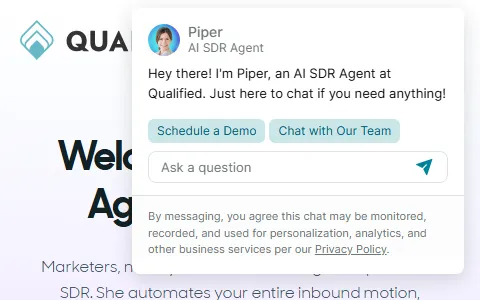
Qualified is an agentic marketing platform for B2B companies built for Salesforce. It helps marketing teams convert website visitors into sales pipeline through live chat, AI SDR agents named Piper that engage and qualify buyers around the clock, meeting scheduling, visitor identification, and intent signals. Qualified notifies sales reps when target accounts are on the website and lets them start conversations instantly. B2B marketing and sales teams use Qualified to turn their website into a pipeline-generating engine.
I have a problem with Qualified
Select the type of problem you're facing to help us and other users.
Recent User Report Trends for Qualified
Aggregated reports in the last 48 hours.
No user reports about Qualified in the last 48 hours.
View live report trends
Add your report to help, or tap to skip
Report a problem to see the chart, or skip
What is Qualified's current status?
All systems are operational
No active incidents reported.
Incident history: past 7 days
times in UTCToday
Yesterday
Oct 30, 2026
Oct 29, 2026
Oct 28, 2026
Oct 27, 2026
User Reports for Qualified
Recent issues reported by users from around the world.
No user reports for Qualified in the last 30 days.
Experiencing an issue? Add your report:
Stop refreshing this page
We'll email you the moment Qualified goes down — and again when it's back.
Performance Insights
Get a premium status page for your own site — $0, forever
- 1Add your site
- 2Verify you own it
- 3Keep it free
- · Any domain you own. Free while the page stays live.
Any domain you own. Free while your verified page stays live, no credit card.
About Qualified & Technical Insights
What this service does and the technologies behind it.
Read the tech stack as text▾
Overview: A marketing-led sales-tech company whose Webflow-built front door hides a genuine Node and Marko engineering shop, instrumented end-to-end with consent, error and video tooling to convert enterprise Salesforce buyers.
What stands out
- The stack splits cleanly in two: a marketer-controlled Webflow site and an engineer-controlled Node/Marko application, a common but hard-to-maintain dual-stack pattern.
- They run their own conversational widget on their homepage, making qualified.com its own best demo for prospects evaluating AI SDR tools.
- Heavy instrumentation (OneTrust, Sentry, Browser Insights, GTM) suggests conversion rate and compliance are measured obsessively, consistent with a subscription funnel selling to enterprise teams.
- Two npm CDNs (unpkg and jsdelivr) and Google-hosted jQuery point to accumulated front-end decisions rather than a freshly consolidated build pipeline.
Technologies qualified.com uses
- Qualified — They dogfood their own conversational platform on qualified.com, proving the AI SDR product to visiting prospects in real time.
- Popper — Positioning engine underpinning every tooltip and popover, so interactive UI stays anchored and polished.
- Tippy.js — Powers tooltips and onboarding hints across product and pricing pages, guiding demo requests for a sales-led funnel.
- Wistia — Hosts product demo and customer-story videos, feeding the video-led nurture motion central to a conversational sales pitch.
- Cloudflare Browser Insights — Free real-user monitoring reveals obsession with page performance for conversion-critical marketing pages.
- jsDelivr — Second public JS CDN in play, delivering open-source assets alongside unpkg for resilience.
- Cloudflare — CDN and security layer fronting the whole site.
- Amazon Web Services — Primary cloud host for backend services.
- Marko — Server-rendered component framework signals a real engineering team building custom interactive UI beyond the Webflow shell.
- OneTrust — Enterprise consent management, mandatory when selling to Salesforce-buying compliance-conscious B2B teams.
- Node.js — Server runtime behind their application stack.
- Envoy — Edge proxy layer routing and shaping traffic in front of origin, indicating a service-mesh-aware infrastructure team.
- Webflow — Marketing site is Webflow-built, meaning growth marketers iterate landing pages without engineering release cycles.
- Unpkg — Serves npm packages straight from CDN, letting engineering ship JS dependencies fast without a build pipeline.
- Google Tag Manager — Central hub for marketing and analytics tags.
- Google Hosted Libraries — jQuery served from Google's CDN, a legacy convenience that hints at older marketing templates never refactored.
- Sentry — Error monitoring shows a production engineering culture that treats marketing and app uptime as revenue-critical.
- Google Font API — Delivers brand typography across pages.
- jQuery — Legacy DOM helper still present on marketing pages.
How these technologies work together
- Popper requires Tippy.js — Tippy cannot place or flip its tooltips without Popper calculating offsets against viewport edges.
- Cloudflare runs on Cloudflare Browser Insights — Browser Insights is a Cloudflare-native product, so performance data arrives without adding a third-party script vendor.
- Marko runs on Node.js — Marko compiles and renders on Node, so their custom UI ships as server-rendered HTML rather than client-side React.
- jsDelivr overlaps with Unpkg — Two public npm CDNs serve open-source assets; consolidating would cut DNS lookups and simplify CSP rules.
- Google Tag Manager requires OneTrust — OneTrust blocks GTM tags until visitors consent, the standard compliance pattern for enterprise B2B buyers.
- Google Tag Manager integrates with Qualified — Their own conversational widget is loaded and triggered through GTM, the same deployment path their customers use.
- Node.js works alongside Sentry — Sentry instruments the Node runtime, catching server-side exceptions that would otherwise silently break conversions.
- Amazon Web Services runs on Envoy — Envoy sits in front of AWS-hosted services, handling routing and retries before requests reach the application tier.
- Webflow works alongside Wistia — Wistia embeds drop directly into Webflow layouts, letting marketers publish demo videos without developer involvement.
- Google Hosted Libraries works alongside Webflow — Webflow templates lean on jQuery, here sourced from Google's CDN rather than bundled with the page.


Trust & Safety Checks
Public registration, DNS and certificate records UptimeCard checked independently for the domain qualified.com.
Secure, encrypted connection
Everything sent to this site is encrypted, using a valid certificate from Google Trust Services.
Domain name active since 1997
qualified.com has been a registered domain since September 1997 — 29 years at the same web address.
Domain lock enabled
The registry blocks unauthorised transfers, so the domain cannot be hijacked.
Registered through 2033
The owner has kept this domain secured until September 2033.
DNS managed by Cloudflare
2 nameservers answer for this domain, so it stays reachable even if one goes offline.
Records last verified September 2026.
How to fix Qualified not working
Qualified is a marketing platform for B2B companies that works with Salesforce. It includes live chat on a company's website, AI agents that qualify visitors, meeting scheduling and alerts to sales reps. Find your symptom below. Most problems come from a sign-in, the chat code on the site, a Salesforce connection, or the platform itself. Check the chat code on the page before you change routing rules for sales reps.
Jump to what you are seeing
- Website Down
- Login Failed
- Chat Widget Down
- Salesforce Sync Error
- Notifications Not Working
- Dashboard Not Loading
Website Down
The Qualified website does not load for you.
- Open the page in a private window and on another network.
- Check status.qualified.com for an active incident.
- If only your network is affected, ask IT to check the firewall.
Login Failed
Sign-in is refused.
- If the message says the password is wrong, reset it and check spam.
- Use the sign-in route your company set up, such as Salesforce single sign-on.
- Try a private window to rule out an old session.
Chat Widget Down
The chat window does not appear on your website, or it stays blank.
- Reload the page in a private window, and check the chat code is on the page.
- Check your site's security settings or content blockers are not blocking it.
- Check status.qualified.com, and tell your web team the page address and the time.
Salesforce Sync Error
Leads or meetings do not sync to Salesforce, or they show the wrong owner.
- Check the Salesforce connection is active, and that its login has not expired.
- Check the field mapping and the record owner rules have not changed.
- Check status.qualified.com, then sync one test lead before a full sync.
Notifications Not Working
Sales reps do not get alerts when a target account visits the website.
- Check the rep's notification settings in the platform and on their device.
- Check the rep is set up as available to receive alerts.
- Check status.qualified.com, and send a test alert to one rep first.
Dashboard Not Loading
The dashboard stays blank, or it shows an error.
- Reload in a private window, and shorten the date range.
- Check your role can see the dashboard.
- Check status.qualified.com, and send the dashboard name and the time to your administrator.
Still not working?
Contact your Qualified administrator or your Salesforce administrator first, since they manage the connection and the rules. For a platform-wide problem, contact Qualified support through the help option in the platform or on its website. Have your organisation name, the page address, the exact error text, and the time with your time zone. Never send visitors' personal details or Salesforce passwords in a support message. Live incident updates are on status.qualified.com.
Most marketing-chat problems come from a chat code on the page, a Salesforce connection or a notification setting, and they usually clear once that is checked. The status page shows live incidents, so you can see whether the problem is on Qualified's side.
Frequently asked questions about Qualified
Is Qualified down right now?
No. Based on the latest status data on this page, Qualified (qualified.com) is up and running normally. The most recent incident, "Performance degradation affecting a subset of organizations", was resolved (last update Oct 26, 2026).
What should I do if Qualified is not working for me?
First rule out your side: reload the page, try another browser or device, clear the cache and cookies for qualified.com, flush your DNS cache and turn off any VPN or proxy. Then compare with this page: if the status shows an incident, or many users reported problems in the last 48 hours, the issue is on the service's end and usually clears up without any action from you. The troubleshooting steps on this page go through each check in order.
What was the most recent Qualified incident?
The most recent incident on record is "Performance degradation affecting a subset of organizations", last updated on Oct 26, 2026. It has been resolved.
How many people reported problems with Qualified recently?
No user reports about Qualified were submitted in the last 48 hours.
How do I report a problem with Qualified?
Use the report buttons at the top of this page, or describe the problem in the user reports section. Every report is counted in the 48-hour trend chart and helps other people see whether the problem is widespread.
Where is the official Qualified status page?
The official status page for Qualified is status.qualified.com.
Related Services & Domains
Other websites and services in the same category as qualified.com.
Related Keywords
Common themes, topics and technologies associated with qualified.com.