Status updated

Appalachian State University
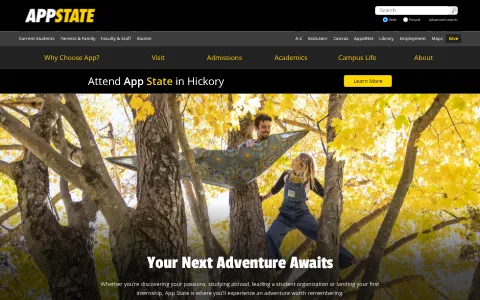
Appstate.edu is the official website of Appalachian State University, a public university in Boone, North Carolina, part of the University of North Carolina System. App State offers more than 150 undergraduate and graduate programs in areas such as business, education, sustainability, music, health sciences and the arts, and is known for its mountain setting and athletic programs. The website provides information on admissions, academics, research, student life, athletics under the Mountaineers name, events and news.
I have a problem with Appalachian State University
Select the type of problem you're facing to help us and other users.
Recent User Report Trends for Appalachian State University
Aggregated reports in the last 48 hours.
No user reports about Appalachian State University in the last 48 hours.
View live report trends
Add your report to help, or tap to skip
Report a problem to see the chart, or skip
What is Appalachian State University's current status?
All systems are operational
No active incidents reported.
Incident history: past 7 days
times in UTCToday
Yesterday
Oct 30, 2026
Oct 29, 2026
Oct 28, 2026
Oct 27, 2026
Oct 26, 2026
User Reports for Appalachian State University
Recent issues reported by users from around the world.
No user reports for Appalachian State University in the last 30 days.
Experiencing an issue? Add your report:
Stop refreshing this page
We'll email you the moment Appalachian State University goes down — and again when it's back.
Performance Insights
Get a premium status page for your own site — $0, forever
- 1Add your site
- 2Verify you own it
- 3Keep it free
- · Any domain you own. Free while the page stays live.
Any domain you own. Free while your verified page stays live, no credit card.
About Appalachian State University & Technical Insights
What this service does and the technologies behind it.
Read the tech stack as text▾
Overview: A Cloudflare-protected university event calendar running a Google/Meta ad-measurement stack, suggesting marketing-led promotion of educational and cultural programming.
What stands out
- Despite no monetization, Floodlight, Facebook Pixel, and Premion indicate paid retargeting and CTV advertising for enrollment or event promotion.
- Cloudflare Bot Management and Browser Insights show emphasis on protecting event infrastructure and monitoring real-user performance.
- Google Tag Manager centralizes a heavy marketing tag stack, likely managed by central university communications rather than event staff.
- Premion CTV tag is unusual for a .edu informational calendar, suggesting experiments reaching alumni or prospective students on streaming platforms.
Technologies appstate.edu uses
- DoubleClick Floodlight — Tracks campaign conversions and audience retargeting, suggesting paid promotion of university events despite informational site.
- Facebook Pixel — Retargets event visitors on Meta
- Google Analytics — Measures calendar traffic and engagement
- Cloudflare Bot Management — Blocks scrapers and abuse, protecting event listings and any registration endpoints.
- Cloudflare Browser Insights — Collects real-user performance data, indicating focus on calendar speed and reliability.
- Premion — CTV/streaming ad platform tag, pointing to advanced video advertising for reaching alumni or prospective students.
- Cloudflare — CDN and security edge for the site
- Google Tag Manager — Deploys marketing and analytics tags
- jQuery — Legacy JavaScript library powering UI interactions
- HTTP/3 — Modern protocol for faster page loads
How these technologies work together
- Cloudflare runs on Cloudflare Bot Management — Bot Management runs natively on Cloudflare’s edge, blocking scrapers and credential abuse before they hit university event systems.
- Cloudflare runs on Cloudflare Browser Insights — Browser Insights is a Cloudflare feature, using its edge network to collect real-user timing data for the calendar.
- DoubleClick Floodlight integrates with Google Analytics — Floodlight conversions feed Google Ads while GA reports site behavior, connecting campaign spend to event engagement.
- Google Analytics works alongside Google Tag Manager — GTM centralizes GA configuration and event tracking, letting staff manage calendar engagement measurement without code changes.
- DoubleClick Floodlight integrates with Google Tag Manager — GTM deploys Floodlight tags, letting university marketing attribute event page visits and campaign conversions without hardcoding.
- Cloudflare Bot Management works alongside Cloudflare Browser Insights — Bot Management filters malicious traffic while Browser Insights measures real-user performance for the same Cloudflare-proxied site.
- DoubleClick Floodlight overlaps with Facebook Pixel — Both build retargeting audiences and track conversions, duplicating ad measurement across Google and Meta channels.
- Cloudflare Bot Management works alongside Google Analytics — Bot Management filters automated traffic, keeping GA event reports and conversion metrics cleaner.
- DoubleClick Floodlight works alongside Premion — Premion’s streaming ad campaigns can be measured through Floodlight, tying CTV views to subsequent site actions.
- Facebook Pixel works alongside Premion — Premion targets streaming audiences while Facebook Pixel builds social retargeting pools, broadening campaign reach.


Trust & Safety Checks
Public registration, DNS and certificate records UptimeCard checked independently for the domain appstate.edu.
Secure, encrypted connection
Everything sent between visitors and this site travels encrypted.
Domain name active since 1989
appstate.edu has been a registered domain since September 1989 — 37 years at the same web address.
Registered through 2027
The owner has kept this domain secured until July 2027.
Redundant DNS setup
3 nameservers answer for this domain, so it stays reachable even if one goes offline.
Records last verified September 2026.
How to fix Appalachian State University not working
Appalachian State University provides online services for students and staff, including the Blackboard learning system, the AppalNet network, email, the library and campus events. Find your symptom below. Most problems come from a sign-in, your device or browser, a campus network setting, or a system outage. For a problem only you have, the university IT help desk is the fastest route.
Jump to what you are seeing
- Website Down
- Login Failed
- AsULearn Offline
- AppalNet Error
- Email Access Issue
- Campus Wi-Fi Down
- Library Services Down
- Events
Website Down
The university website does not load for you.
- Open the page in a private window and on another network.
- Check status.appstate.edu for an active incident.
- If only your network is affected, contact the IT help desk.
Login Failed
Sign-in to a university system is refused.
- Check the username and password, and that Caps Lock is off.
- If the password is refused, reset it through the official account page and check spam.
- Try a private window, then contact the help desk with your username. Never send your password.
AsULearn Offline
The learning system does not load, or course pages show errors.
- Check status.appstate.edu for a learning-system incident.
- Reload in a private window, and try another browser.
- If one course page fails, note its name and the time, and tell your instructor.
AppalNet Error
The campus network shows an error, or it will not connect.
- Forget the network on your device, then join it again with your university login.
- Check the device's date and time are correct, since a wrong time can stop sign-in.
- If it fails across a building, let the help desk know the building and the time.
Email Access Issue
University email does not send, receive or sync to your device.
- Check whether webmail works in a browser. If it does, the problem is your device's mail settings.
- Check your mail app has the server settings from the university's guidance.
- If it fails in every app, contact the help desk.
Campus Wi-Fi Down
Campus Wi-Fi is unavailable in one or more buildings.
- Check whether other devices in the same building can connect.
- Restart your device and join the network again.
- Check status.appstate.edu, and let the help desk know the building and the time.
Library Services Down
A library resource does not open, or it asks you to sign in again.
- Check you are signed in with your university account, and that your access is active.
- Open the resource from the library's own site, not an old saved link.
- Try a private window, since an old session can cause a sign-in loop.
Events
An event page does not load, or its details look wrong.
- Reload in a private window, and check the date and the location.
- Check the event has not been moved or cancelled on the university's own page.
- Check status.appstate.edu, and contact the event organiser with the event name and the time.
Still not working?
Contact the Appalachian State University IT help desk first, since it can check your account and devices. Have your username (not your password), the system or page name, the exact error text, the device and browser, and the time with your time zone. Never send your password or student records in a message. Live incident updates are on status.appstate.edu.
Most campus-system problems come from a sign-in step, a network or a browser, and they usually clear once that is sorted. The status page shows incidents for university services, so you can tell quickly whether the problem is on the university's side.
Frequently asked questions about Appalachian State University
Is Appalachian State University down right now?
No. Based on the latest status data on this page, Appalachian State University (appstate.edu) is up and running normally. The most recent incident, "West Campus Network Outage", was resolved (last update Sep 23, 2026).
What should I do if Appalachian State University is not working for me?
First rule out your side: reload the page, try another browser or device, clear the cache and cookies for appstate.edu, flush your DNS cache and turn off any VPN or proxy. Then compare with this page: if the status shows an incident, or many users reported problems in the last 48 hours, the issue is on the service's end and usually clears up without any action from you. The troubleshooting steps on this page go through each check in order.
What was the most recent Appalachian State University incident?
The most recent incident on record is "West Campus Network Outage", last updated on Sep 23, 2026. It has been resolved.
How many people reported problems with Appalachian State University recently?
No user reports about Appalachian State University were submitted in the last 48 hours.
How do I report a problem with Appalachian State University?
Use the report buttons at the top of this page, or describe the problem in the user reports section. Every report is counted in the 48-hour trend chart and helps other people see whether the problem is widespread.
Where is the official Appalachian State University status page?
The official status page for Appalachian State University is status.appstate.edu.
Related Services & Domains
Other websites and services in the same category as appstate.edu.
Related Keywords
Common themes, topics and technologies associated with appstate.edu.