Status updated

Wordsmith down?
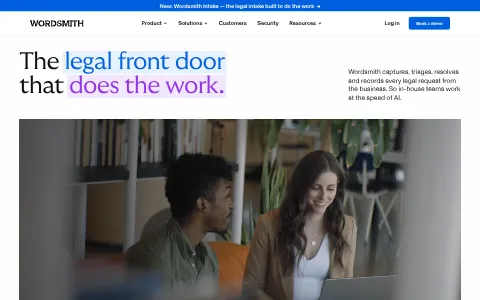
Wordsmith is an AI-powered legal assistant platform designed for in-house legal teams. It integrates with tools like Slack, email and document systems so employees can ask legal questions and get instant answers based on the company's own policies and playbooks. Wordsmith helps review and redline contracts, draft documents, triage legal requests, and manage legal workflows, escalating to lawyers when needed. Its goal is to help legal departments scale their support to the business, reduce bottlenecks and focus on high-value work.
I have a problem with Wordsmith
Select the type of problem you're facing to help us and other users.
Recent User Report Trends for Wordsmith
Aggregated reports in the last 48 hours.
No user reports about Wordsmith in the last 48 hours.
View live report trends
Add your report to help, or tap to skip
Report a problem to see the chart, or skip
What is Wordsmith's current status?
All systems are operational
No active incidents reported.
Incident history: past 7 days
times in UTCToday
Yesterday
Nov 7, 2026
Nov 6, 2026
Nov 5, 2026
Nov 4, 2026
Nov 3, 2026
User Reports for Wordsmith
Recent issues reported by users from around the world.
No user reports for Wordsmith in the last 30 days.
Experiencing an issue? Add your report:
Stop refreshing this page
We'll email you the moment Wordsmith goes down — and again when it's back.
Performance Insights
Get a premium status page for your own site — $0, forever
- 1Add your site
- 2Verify you own it
- 3Keep it free
- · Any domain you own. Free while the page stays live.
Any domain you own. Free while your verified page stays live, no credit card.
About Wordsmith & Technical Insights
What this service does and the technologies behind it.
Read the tech stack as text▾
Overview: Privacy-conscious, B2B-focused Next.js marketing stack using modern build tooling, consent management, and multi-channel ad tracking for legal-tech lead generation.
What stands out
- The coexistence of Turbopack and webpack indicates a transitional or hybrid build configuration.
- Multiple consent-gated ad pixels (Meta, LinkedIn, Microsoft) reveal an account-based marketing strategy targeting legal professionals.
- Hosting on Vercel behind Cloudflare adds an extra CDN and security layer, likely for performance and DDoS resilience.
Technologies wordsmith.ai uses
- Facebook Pixel — Tracks Meta ad conversions and builds retargeting audiences.
- Tailwind CSS — Enables rapid, consistent UI styling for marketing pages and product interface without custom CSS overhead.
- Vercel — Hosting and serverless platform ensures fast global performance and seamless Next.js preview deployments for iterative releases.
- Linkedin Insight Tag — Measures LinkedIn ad performance and B2B audience engagement.
- Turbopack — Next.js's faster bundler speeds up local development and production builds, reflecting modern engineering practices.
- React — Powers interactive UI components.
- Cloudflare — Provides CDN, DNS, and security layer in front of the origin.
- Usercentrics — Consent management platform handles GDPR/ePrivacy compliance, allowing legal-tech visitors to control ad and analytics tracking.
- Microsoft Advertising — Runs paid search and display campaigns targeting legal professionals on Microsoft and Bing, supporting B2B lead acquisition.
- Google Analytics — Tracks website traffic and user behavior.
- Next.js — React framework with server-side rendering and static generation boosts SEO and performance for content-rich legal SaaS pages.
- Webpack — Bundles JavaScript assets; legacy or fallback bundler.
- HSTS — Enforces HTTPS connections for security.
- Google Tag Manager — Manages marketing and analytics tags without developer changes.
How these technologies work together
- Next.js requires React — Next.js requires React to render components, forming the core application framework.
- Google Tag Manager integrates with Usercentrics — Usercentrics controls GTM, ensuring marketing tags fire only after visitor consent.
- Next.js runs on Vercel — Vercel is the creator and ideal deployment platform for Next.js, offering edge functions and previews.
- Google Analytics integrates with Google Tag Manager — GTM deploys Google Analytics and centralizes tag management, simplifying updates.
- Google Analytics integrates with Usercentrics — Usercentrics gates Google Analytics, aligning traffic measurement with GDPR consent requirements.
- Cloudflare integrates with HSTS — Cloudflare serves HSTS headers, enforcing secure HTTPS connections for all visitors.
- Facebook Pixel integrates with Usercentrics — Usercentrics prevents Facebook Pixel from firing until consent, protecting user privacy.
- React integrates with Tailwind CSS — Tailwind utility classes style React components efficiently, supporting rapid UI development.
- Next.js integrates with Turbopack — Turbopack integrates with Next.js as its next-generation bundler, improving build speed.
- Linkedin Insight Tag integrates with Usercentrics — Usercentrics governs LinkedIn Insight Tag, ensuring GDPR-compliant B2B audience tracking.
- Cloudflare integrates with Vercel — Cloudflare fronts Vercel, adding DDoS protection, DNS, and edge caching.
- Next.js integrates with Webpack — Next.js historically relies on webpack; its presence may indicate default config alongside Turbopack.
- Linkedin Insight Tag works alongside Microsoft Advertising — Microsoft Advertising and LinkedIn Insight Tag coordinate B2B ad targeting and measurement for legal buyers.
- Facebook Pixel integrates with Google Tag Manager — GTM can load Facebook Pixel and centralizes ad tag management.
- Microsoft Advertising integrates with Usercentrics — Usercentrics manages consent for Microsoft Advertising conversion tracking and campaign measurement.
- Turbopack overlaps with Webpack — Both serve as module bundlers; coexistence suggests migration or legacy configuration.


Trust & Safety Checks
Public registration, DNS and certificate records UptimeCard checked independently for the domain wordsmith.ai.
Secure, encrypted connection
Everything sent to this site is encrypted, using a valid certificate from Google Trust Services.
DNS managed by Cloudflare
2 nameservers answer for this domain, so it stays reachable even if one goes offline.
Hosted by Cloudflare, Inc.
Served from professional infrastructure located in Canada.
Records last verified September 2026.
How to fix Wordsmith not working
Wordsmith is an AI assistant for in-house legal teams. It answers staff questions based on the company's own policies and playbooks, helps review and redline contracts, drafts documents, and passes complex matters to lawyers. Find your symptom below. Most problems come from a sign-in, an upload, a generation step, or the platform itself. Have a qualified lawyer check any AI output before you rely on it or send it outside the company.
Jump to what you are seeing
Website Down
The Wordsmith website does not load for you.
- Open the page in a private window and on another network.
- Check status.wordsmith.ai for an active incident.
- If only your network is affected, ask IT to check the firewall.
Login Failed
Sign-in is refused.
- If the message says the password is wrong, reset it and check spam.
- If your access is set up through Slack or your company sign-in, use that route.
- Ask your administrator to confirm your access is active.
Generation Error
A draft, a redline or an answer fails to generate, or it stops partway.
- Try a shorter request, with fewer documents at once.
- Check the document is readable text, not a scan without text, and in a supported format.
- Keep your own copy of the input before you run it again.
API Down
Calls to the Wordsmith API fail or time out.
- Check the status code. An access error usually means the key is wrong, too many calls means you should slow down, and a server error means a service-side problem.
- Confirm the key has not been revoked and is for your company's workspace.
- Retry with a growing delay, and check status.wordsmith.ai if several calls fail together.
Data Upload Failed
A policy, playbook or contract does not upload, or it is rejected.
- Check the file type and size against what Wordsmith accepts.
- Check the file is not password-protected, and remove personal details from it first, following your company's policy.
- Upload one file at a time to find the problem.
Slow Processing
Requests take a long time, or they stay in progress.
- Wait a short time, then check the request's status in the platform.
- Try a smaller request, since large documents take longer.
- Check status.wordsmith.ai, and do not send the same request again until you know the first one has stopped.
Still not working?
If it still does not work, contact your Wordsmith administrator or the legal operations team first. For a platform-wide problem, contact Wordsmith support through the help option in the platform or on its website. Have your company name, the request or document name, the exact error text, and the time with your time zone. Never send confidential contract text or personal details in a support message. Live incident updates are on status.wordsmith.ai.
Most AI-assistant problems come from an upload format, a long request or a sign-in, and they usually clear once that is checked. The status page shows live incidents, so you can see whether the problem is on Wordsmith's side.
Frequently asked questions about Wordsmith
Is Wordsmith down right now?
No. Based on the latest status data on this page, Wordsmith (wordsmith.ai) is up and running normally. The most recent incident, "Slow chat input in Safari and desktop app", was resolved (last update Sep 29, 2026).
What should I do if Wordsmith is not working for me?
First rule out your side: reload the page, try another browser or device, clear the cache and cookies for wordsmith.ai, flush your DNS cache and turn off any VPN or proxy. Then compare with this page: if the status shows an incident, or many users reported problems in the last 48 hours, the issue is on the service's end and usually clears up without any action from you. The troubleshooting steps on this page go through each check in order.
What was the most recent Wordsmith incident?
The most recent incident on record is "Slow chat input in Safari and desktop app", last updated on Sep 29, 2026. It has been resolved.
How many people reported problems with Wordsmith recently?
No user reports about Wordsmith were submitted in the last 48 hours.
How do I report a problem with Wordsmith?
Use the report buttons at the top of this page, or describe the problem in the user reports section. Every report is counted in the 48-hour trend chart and helps other people see whether the problem is widespread.
Where is the official Wordsmith status page?
The official status page for Wordsmith is status.wordsmith.ai.
Related Services & Domains
Other websites and services in the same category as wordsmith.ai.
Related Keywords
Common themes, topics and technologies associated with wordsmith.ai.