Status updated

Quay down?
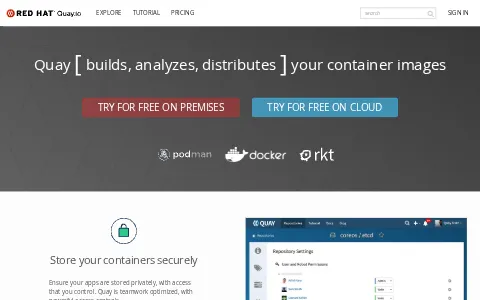
Quay.io is a hosted container image registry operated by Red Hat. It lets developers and organisations store, build, distribute and secure container images for Docker and Kubernetes, with public and private repositories, robot accounts for automation, fine-grained access controls, automated builds from source repositories, and vulnerability scanning powered by Clair. Quay.io hosts images for many open source projects and Red Hat products. Red Hat also offers Quay as a self-managed enterprise registry for private deployments.
Recent User Report Trends for Quay
Aggregated reports in the last 48 hours.
No user reports about Quay in the last 48 hours.
View live report trends
Add your report to help, or tap to skip
Report a problem to see the chart, or skip
What is Quay's current status?
All systems are operational
No active incidents reported.
Incident history: past 7 days
times in UTCToday
Yesterday
Nov 14, 2026
Nov 13, 2026
Nov 12, 2026
Nov 11, 2026
User Reports for Quay
Recent issues reported by users from around the world.
No user reports for Quay in the last 30 days.
Experiencing an issue? Add your report:
Stop refreshing this page
We'll email you the moment Quay goes down — and again when it's back.
Performance Insights
Get a premium status page for your own site — $0, forever
- 1Add your site
- 2Verify you own it
- 3Keep it free
- · Any domain you own. Free while the page stays live.
Any domain you own. Free while your verified page stays live, no credit card.
About Quay & Technical Insights
What this service does and the technologies behind it.
Read the tech stack as text▾
Overview: A legacy AngularJS enterprise registry frontend layered with modern observability, service mesh, and dual payment options for developer subscriptions.
What stands out
- Quay pairs a legacy AngularJS frontend with modern service mesh (Envoy) and APM (Dynatrace), suggesting incremental modernization.
- Dual payment via Stripe and BitPay indicates willingness to serve both traditional enterprise and crypto-native developers.
- Presence of TrustArc and reCAPTCHA highlights compliance and abuse prevention for a subscription registry.
- AWS Certificate Manager and HSTS show a security-first HTTPS posture for container image distribution.
Technologies quay.io uses
- AWS Certificate Manager — Manages SSL/TLS certificates for secure HTTPS access to the Quay registry.
- YouTube — Embeds product tutorials or demo videos to help users understand Quay registry features.
- Dynatrace RUM — Monitors real user performance of the AngularJS registry UI, ensuring fast image browsing for developers.
- BitPay — Enables cryptocurrency payments for Quay subscriptions, signaling appeal to crypto-friendly developer users.
- Nginx — Serves as web server and reverse proxy for registry traffic.
- Dynatrace — Application performance monitoring for Quay's backend services, ensuring reliable image push and pull.
- Format — Formats strings and numbers in AngularJS views, supporting Quay's registry metadata and pricing display.
- Bootstrap — Provides responsive layout and UI components for the frontend.
- Font Awesome — Provides iconography for the registry UI, improving visual navigation and status indicators.
- Amazon Web Services — Hosts Quay's cloud infrastructure on AWS.
- jQuery — Legacy DOM manipulation library used in the AngularJS app.
- Underscore.js — Provides utility functions for data manipulation in AngularJS controllers, a legacy frontend dependency.
- Envoy — Routes and secures internal microservice traffic, likely supporting Quay's registry API and auth.
- Twitter typeahead.js — Powers autocomplete search for repositories, images, and namespaces in Quay's AngularJS interface.
- Stripe — Handles subscription billing and payment processing for Quay's paid plans.
- reCAPTCHA — Protects sign-up and forms from bot abuse.
- TrustArc — Manages cookie consent and privacy compliance, important for enterprise customers using Quay registry.
- HSTS — Enforces HTTPS connections for secure registry access.
- AngularJS — Powers Quay's single-page application for browsing and managing container repositories.
- Moment.js — Formats timestamps for image tags, build logs, and vulnerability scan results in the UI.
How these technologies work together
- Amazon Web Services runs on AWS Certificate Manager — ACM provisions and renews SSL certificates for AWS-hosted Quay endpoints automatically.
- Dynatrace integrates with Dynatrace RUM — Dynatrace RUM feeds browser performance data into Dynatrace APM for full-stack monitoring.
- Bootstrap requires jQuery — Bootstrap's JavaScript components depend on jQuery in this legacy frontend stack.
- AngularJS integrates with Dynatrace RUM — Dynatrace RUM monitors AngularJS SPA performance for real user metrics in Quay.
- AngularJS works alongside Underscore.js — Underscore provides utility functions that AngularJS controllers use for data manipulation in the registry UI.
- Amazon Web Services runs on Nginx — nginx runs on AWS infrastructure serving Quay's registry traffic.
- AWS Certificate Manager works alongside HSTS — HSTS enforces HTTPS using ACM certificates for secure registry access.
- Bootstrap works alongside Font Awesome — Font Awesome icons complement Bootstrap components in Quay's registry interface.
- Dynatrace works alongside Envoy — Envoy proxies generate telemetry that Dynatrace monitors for service mesh and API performance.
- AWS Certificate Manager requires Nginx — nginx uses ACM certificates for HTTPS termination and secure registry connections.
- AngularJS integrates with Twitter typeahead.js — Typeahead autocomplete is integrated into AngularJS search fields for repository and image lookup.
- AngularJS works alongside Moment.js — Moment.js formats timestamps for AngularJS views showing image build and push dates.
- Amazon Web Services runs on Envoy — Envoy proxies run on AWS, routing registry microservice traffic.
- AngularJS overlaps with jQuery — jQuery and AngularJS both manipulate DOM, a legacy redundancy in Quay's frontend.
- AngularJS integrates with YouTube — YouTube videos are embedded within AngularJS views for Quay feature tutorials.
- reCAPTCHA works alongside Stripe — reCAPTCHA secures payment forms processed by Stripe for Quay subscriptions.
- reCAPTCHA works alongside TrustArc — TrustArc manages cookie consent while reCAPTCHA blocks bots on Quay's forms.
- BitPay works alongside Stripe — Stripe covers card payments while BitPay adds cryptocurrency, broadening subscription payment methods for Quay.
- AngularJS integrates with Format — Format library integrates with AngularJS for consistent rendering of registry metadata.
- Envoy works alongside Nginx — Envoy handles internal service mesh while nginx fronts external registry traffic for Quay.


Trust & Safety Checks
Public registration, DNS and certificate records UptimeCard checked independently for the domain quay.io.
Secure, encrypted connection
Everything sent to this site is encrypted, using a valid certificate from Amazon.
DNS managed by AWS Route 53
4 nameservers answer for this domain, so it stays reachable even if one goes offline.
Hosted by Amazon.com, Inc.
Served from professional infrastructure located in United States.
Records last verified September 2026.
How to fix Quay not working
Quay.io is a hosted container image registry. Developers and organisations store, build and share container images for Docker and Kubernetes, with access controls, robot accounts and vulnerability scanning. Find your symptom below. Most problems come from a sign-in or robot account, a repository permission, a registry address or tag, or the service itself. Check the status page before you change repository permissions for a whole team.
Jump to what you are seeing
Website
The Quay.io website does not load for you.
- Open the page in a private window and on another network.
- Check status.quay.io for an active incident.
- If only your network is affected, ask IT to check the firewall.
Pulling Images Fails
Pulling an image fails, or the image is not found.
- Check the image name, tag and organisation are spelled exactly as in the repository.
- Check you are signed in with an account or robot account that can read the repository.
- Check status.quay.io, then try the pull once more after a short wait.
Pushing Images Fails
Pushing an image fails, or it is rejected.
- Check you are signed in with an account that can write to the repository.
- Check the image tag is valid, and that the repository is not set to read-only.
- Read the error from the push, and check status.quay.io if pushes fail for everyone.
Repository Access Denied
You see an access denied message for a repository you should be able to use.
- Check your permissions on the repository, and the team it belongs to.
- Check the robot account's permissions have not been changed.
- Ask the repository administrator to check the access, and send them the repository name and the time.
Still not working?
Contact your Quay administrator, or the owner of the repository, first, since they manage permissions and robot accounts. For a platform-wide problem, contact Quay support through the help option on the Quay website. Have your organisation name, the repository name (not any token), the exact error text, the command you ran, and the time with your time zone. Never send passwords, robot tokens or registry credentials in a support message. Live incident updates are on status.quay.io.
Most registry problems come from a permission, a tag name or a sign-in, and they usually clear once that is checked. The status page shows live incidents, so you can see whether the problem is on the registry's side.
Frequently asked questions about Quay
Is Quay down right now?
No. Based on the latest status data on this page, Quay (quay.io) is up and running normally. The most recent incident, "Partner login failing due to token generation issue", was resolved (last update Nov 15, 2026).
What should I do if Quay is not working for me?
First rule out your side: reload the page, try another browser or device, clear the cache and cookies for quay.io, flush your DNS cache and turn off any VPN or proxy. Then compare with this page: if the status shows an incident, or many users reported problems in the last 48 hours, the issue is on the service's end and usually clears up without any action from you. The troubleshooting steps on this page go through each check in order.
What was the most recent Quay incident?
The most recent incident on record is "Partner login failing due to token generation issue", last updated on Nov 15, 2026. It has been resolved.
How many people reported problems with Quay recently?
No user reports about Quay were submitted in the last 48 hours.
How do I report a problem with Quay?
Use the report buttons at the top of this page, or describe the problem in the user reports section. Every report is counted in the 48-hour trend chart and helps other people see whether the problem is widespread.
Where is the official Quay status page?
The official status page for Quay is status.quay.io.
Related Services & Domains
Other websites and services in the same category as quay.io.


Related Keywords
Common themes, topics and technologies associated with quay.io.