Status as of

Qonversion down?
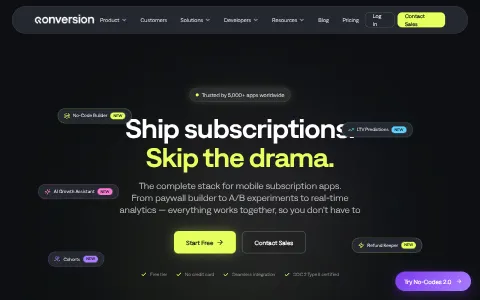
Qonversion is a platform that helps mobile app developers manage and grow in-app subscription revenue. Its SDK handles in-app purchase infrastructure for iOS and Android, including receipt validation, entitlements and cross-platform access. Qonversion provides subscription analytics, A/B testing of paywalls and pricing, a no-code paywall builder, remote configs, and integrations with analytics and marketing tools such as Amplitude, Mixpanel and AppsFlyer. App developers use it to save engineering time and increase subscription conversions.
I have a problem with Qonversion
Select the type of problem you're facing to help us and other users.
Recent User Report Trends for Qonversion
Aggregated reports in the last 48 hours.
Official Status Unavailable
We couldn't load live incident data from the official status page for qonversion.io at this time. Please try again later.
User Reports for Qonversion
Recent issues reported by users from around the world.
Experiencing an issue? Add your report:
Stop refreshing this page
We'll email you the moment Qonversion goes down — and again when it's back.
How to fix Qonversion not working
Qonversion helps mobile app developers run in-app subscriptions. Its SDK handles purchase checks and access rights across iOS and Android, and its dashboard offers subscription analytics, paywall tests and remote configuration. Find your symptom below. Most problems come from an SDK key or setup, a store connection, a webhook, or the platform itself. Check the status page before you change a live paywall or price.
Jump to what you are seeing
- Website Down
- API Error
- Dashboard Login Failed
- SDK Connection Failed
- Webhook Delay
- Analytics Not Updating
- Purchase Processing Error
Website Down
The Qonversion website does not load for you.
- Open the page in a private window and on another network.
- Check status.qonversion.io for an active incident.
- If only your network is affected, ask IT to check the firewall.
API Error
Calls to the Qonversion API fail or return an error.
- Check the status code. An access error usually means the key is wrong, too many calls means you should slow down, and a server error means a service-side problem.
- Confirm the key is for the right project and environment.
- Retry with a growing delay, and check status.qonversion.io if several calls fail together.
Dashboard Login Failed
Sign-in to the dashboard is refused.
- If the message says the password is wrong, reset it and check spam.
- Check you are using the account that owns the app.
- Try a private window to rule out an old session.
SDK Connection Failed
The app cannot connect to Qonversion through the SDK.
- Check the SDK key is correct and for the right environment.
- Check the app can reach Qonversion's address, with no proxy blocking it.
- Check status.qonversion.io, then restart the app once and read the SDK's error log.
Webhook Delay
Subscription events reach your system late, or they do not arrive.
- Check the webhook address can be reached from outside your network and returns a success response.
- Check the webhook settings have not changed, and that the secret matches.
- Check status.qonversion.io, then replay one event to test before replaying many.
Analytics Not Updating
Subscription numbers stay the same, or they look out of date.
- Check the date range you selected, and allow time for purchases to be counted.
- Check the app is sending events, and that the store connection is active.
- Check status.qonversion.io, and report the report name and the time if the numbers stay stuck.
Purchase Processing Error
A purchase is made in the store, but the app does not unlock it.
- Check the purchase appears in the store account and is not refunded.
- Restore purchases in the app, so the entitlement is checked again.
- Check status.qonversion.io, then send the transaction reference and the time to support. Do not ask the user to buy the item again.
Still not working?
Contact your developer or your team's Qonversion administrator first. For a platform-wide problem, contact Qonversion support through the help option in the dashboard or on the Qonversion website. Have your app name, the environment, the SDK and version, the exact error text, and the time with your time zone. Never send SDK keys, API keys, user tokens or card details in a support message. Live incident updates are on status.qonversion.io.
Most subscription problems come from an SDK key, a store connection or a webhook setting, and they usually clear once that is checked. The status page shows live incidents, so you can see whether the problem is on Qonversion's side.
Frequently asked questions about Qonversion
Is Qonversion down right now?
We cannot confirm an outage for Qonversion (qonversion.io) at the moment, and we have no live automated check result to show for it. This page relies on incident updates and reports from users.
What should I do if Qonversion is not working for me?
First rule out your side: reload the page, try another browser or device, clear the cache and cookies for qonversion.io, flush your DNS cache and turn off any VPN or proxy. Then compare with this page: if the status shows an incident, or many users reported problems in the last 48 hours, the issue is on the service's end and usually clears up without any action from you. The troubleshooting steps on this page go through each check in order.
How do I report a problem with Qonversion?
Use the report buttons at the top of this page, or describe the problem in the user reports section. Every report is counted in the 48-hour trend chart and helps other people see whether the problem is widespread.
Where is the official Qonversion status page?
The official status page for Qonversion is status.qonversion.io.
Advanced Domain Info Unavailable
We couldn't load advanced domain and security information for qonversion.io at this time. Please try again later.