Status updated

Bitbar down?
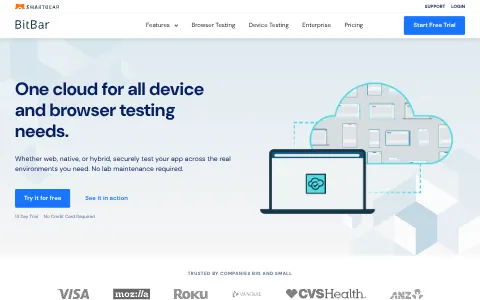
BitBar, part of SmartBear, is a cloud-based testing platform for web and mobile applications. It gives development and QA teams access to a large collection of real Android and iOS devices and desktop browsers to run manual and automated tests. BitBar supports popular frameworks such as Appium, Espresso, XCUITest, Selenium and Cypress, and integrates with CI/CD pipelines to run tests in parallel and speed up releases. Teams can choose public cloud, private dedicated devices or on-premises deployment to ensure their apps work across devices.
I have a problem with Bitbar
Select the type of problem you're facing to help us and other users.
Recent User Report Trends for Bitbar
Aggregated reports in the last 48 hours.
No user reports about Bitbar in the last 48 hours.
View live report trends
Add your report to help, or tap to skip
Report a problem to see the chart, or skip
What is Bitbar's current status?
All systems are operational
No active incidents reported.
Incident history: past 7 days
times in UTCToday
Yesterday
Oct 30, 2026
Oct 29, 2026
Oct 28, 2026
Oct 27, 2026
Oct 26, 2026
User Reports for Bitbar
Recent issues reported by users from around the world.
No user reports for Bitbar in the last 30 days.
Experiencing an issue? Add your report:
Stop refreshing this page
We'll email you the moment Bitbar goes down — and again when it's back.
Performance Insights
Get a premium status page for your own site — $0, forever
- 1Add your site
- 2Verify you own it
- 3Keep it free
- · Any domain you own. Free while the page stays live.
Any domain you own. Free while your verified page stays live, no credit card.
About Bitbar & Technical Insights
What this service does and the technologies behind it.
Read the tech stack as text▾
Overview: A performance-obsessed, privacy-conscious marketing and product site for a cloud testing platform, using edge deployment and observability to optimize conversions.
What stands out
- Heavy Cloudflare adoption (CDN, HTTP/3, Bot Management, Browser Insights) signals a security- and performance-first infrastructure.
- Piwik PRO over Google Analytics suggests GDPR compliance or EU enterprise focus is a priority.
- Use of Convert and Bugsnag together shows a culture of experimentation and reliability engineering.
- Astro with Tailwind indicates a modern, lean frontend with minimal JavaScript overhead.
Technologies bitbar.com uses
- Piwik PRO Core — Privacy-focused analytics suite suggests serving EU enterprise clients with strict data compliance and consent requirements.
- Astro — Static site generator enables fast, content-rich marketing pages and documentation with minimal JavaScript.
- Tailwind CSS — Utility-first CSS framework speeds up consistent UI development across the site.
- Cloudflare Bot Management — Bot protection safeguards the testing platform from automated abuse and credential stuffing.
- Cloudflare Browser Insights — Real user monitoring provides client-side performance metrics to maintain fast page loads.
- Convert — A/B testing tool used to optimize subscription conversion funnels and trial sign-up pages.
- Open Graph — Optimizes social sharing previews.
- Cloudflare — Provides CDN, DNS, and DDoS protection.
- Google Tag Manager — Manages marketing and analytics tags.
- BugSnag — Application error monitoring tracks frontend and API failures, prioritizing reliability for a testing platform.
- HTTP/3 — Enables faster, more secure connections via modern protocol.
How these technologies work together
- Cloudflare runs on Cloudflare Bot Management — Bot Management is a Cloudflare service, using edge signals to block malicious bots before they reach origin.
- Astro runs on Cloudflare — Astro's static output is deployed through Cloudflare's CDN and edge network for global low-latency delivery.
- Cloudflare runs on Cloudflare Browser Insights — Browser Insights is deployed via Cloudflare's edge, injecting RUM script to gather performance data.
- Astro integrates with Tailwind CSS — Astro natively supports Tailwind, allowing utility-styled components to compile into fast static pages.
- BugSnag works alongside Cloudflare Browser Insights — Bugsnag captures JavaScript errors while Browser Insights records performance, together giving a complete frontend health view.
- Cloudflare runs on HTTP/3 — HTTP/3 is negotiated through Cloudflare's edge, reducing latency and improving connection resilience.
- Convert integrates with Piwik PRO Core — Convert A/B test events feed into Piwik PRO to measure experiment impact on sign-up and conversion.
- Astro integrates with BugSnag — Bugsnag's JavaScript notifier integrates into the Astro frontend to capture client-side runtime errors.
- Convert integrates with Google Tag Manager — Convert can be loaded through GTM, centralizing script deployment and conversion tracking.
- Astro integrates with Open Graph — Astro components output Open Graph meta tags for correct social previews on shared pages.


Trust & Safety Checks
Public registration, DNS and certificate records UptimeCard checked independently for the domain bitbar.com.
Secure, encrypted connection
Everything sent to this site is encrypted, using a valid certificate from Amazon.
Domain name active since 2004
bitbar.com has been a registered domain since November 2004 — 21 years at the same web address.
Domain lock enabled
The registry blocks unauthorised transfers, so the domain cannot be hijacked.
DNS managed by AWS Route 53
3 nameservers answer for this domain, so it stays reachable even if one goes offline.
Hosted by Amazon.com, Inc.
Served from professional infrastructure located in United States.
Records last verified August 2026.
How to fix Bitbar not working
BitBar, part of SmartBear, runs automated and manual tests on real phones and browsers in the cloud, and connects to CI pipelines. Developers and QA engineers use it. Find your symptom below. Most problems come from a sign-in, a test device or its connection, a test script or timeout, or the platform itself.
Jump to what you are seeing
Website Down
The BitBar website or dashboard does not load for you.
- Open the page in a private window and on another network.
- Check status.bitbar.com for an active incident.
- If only your network is affected, ask IT to check the firewall.
Device Connection Failed
A test cannot connect to a device, or the device disappears from the list.
- Check the device is available in the device list, and is not already in use by another test.
- Try a different device model to see whether one model or every device is affected.
- Restart the test run, since a stuck session can hold a device.
- If devices fail for everyone, check the status page and send the device model and the time to support.
Login Failed
Sign-in is refused. Check you are using the account for your team.
- If the message says the password is wrong, reset it and check spam.
- Check your user belongs to the team that owns the project.
- Try a private window to rule out an old session.
API Error
Calls to the BitBar API fail or return an error.
- Check the status code. A 401 or 403 means the token or permission is wrong, a 429 means too many calls, and a 5xx means a platform-side problem.
- Confirm the API token has not been revoked or changed.
- Retry with a growing delay.
- Check status.bitbar.com if several calls fail together.
Test Execution Timeout
A test stops because it ran out of time. The app may be slow to start, or a test step may be waiting for something that never appears.
- Read the test log to find the step where it stopped.
- Check the app is installed and launches on the device, and that the test waits for the right element.
- Increase the timeout for that one step only if the app is genuinely slow to load.
- If every test times out on one device model, try another model and send the details to support.
Slow Performance
The dashboard or test runs are slow to start or to report.
- Try again at a quieter time of day, since shared device pools can be busier at peak times.
- Reduce the number of parallel tests while you find the cause.
- If it is slow for everyone, check the status page and tell your team lead.
Still not working?
If it still does not work, contact BitBar support through the help option in the dashboard or on bitbar.com. Have your team and project name, the device model and OS version, the test or run ID, the exact error text, and the time it started with your time zone. Never send API tokens in a support message. Live incident updates are on status.bitbar.com.
Most testing-platform problems come from a device, a test step or a timeout, and they usually clear once that one item is adjusted. The status page shows live platform incidents, so you can see whether the problem is on BitBar's side.
Frequently asked questions about Bitbar
Is Bitbar down right now?
No. Based on the latest status data on this page, Bitbar (bitbar.com) is up and running normally. The most recent incident, "Client side execution issues on mobile devices", was resolved (last update Sep 22, 2026).
What should I do if Bitbar is not working for me?
First rule out your side: reload the page, try another browser or device, clear the cache and cookies for bitbar.com, flush your DNS cache and turn off any VPN or proxy. Then compare with this page: if the status shows an incident, or many users reported problems in the last 48 hours, the issue is on the service's end and usually clears up without any action from you. The troubleshooting steps on this page go through each check in order.
What was the most recent Bitbar incident?
The most recent incident on record is "Client side execution issues on mobile devices", last updated on Sep 22, 2026. It has been resolved.
How many people reported problems with Bitbar recently?
No user reports about Bitbar were submitted in the last 48 hours.
How do I report a problem with Bitbar?
Use the report buttons at the top of this page, or describe the problem in the user reports section. Every report is counted in the 48-hour trend chart and helps other people see whether the problem is widespread.
Where is the official Bitbar status page?
The official status page for Bitbar is status.bitbar.com.
Related Services & Domains
Other websites and services in the same category as bitbar.com.

Related Keywords
Common themes, topics and technologies associated with bitbar.com.