Status updated

Cortex down?
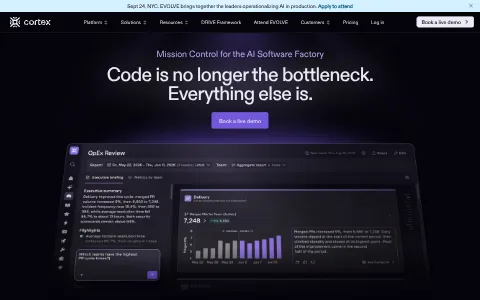
Cortex is an internal developer portal that helps engineering organisations understand and improve their software ecosystem. It builds a catalog of services, resources and teams, pulling in data from tools like Git, CI/CD, monitoring, incident management and cloud providers. Cortex scorecards track standards such as production readiness, security and ownership, while initiatives drive migrations and improvements across teams. Its developer homepage and self-service workflows reduce friction. Engineering leaders use Cortex to boost reliability, productivity and accountability.
I have a problem with Cortex
Select the type of problem you're facing to help us and other users.
Recent User Report Trends for Cortex
Aggregated reports in the last 48 hours.
No user reports about Cortex in the last 48 hours.
View live report trends
Add your report to help, or tap to skip
Report a problem to see the chart, or skip
What is Cortex's current status?
All systems are operational
No active incidents reported.
Incident history: past 7 days
times in UTCToday
Yesterday
Nov 7, 2026
Nov 6, 2026
Nov 5, 2026
Nov 4, 2026
Nov 3, 2026
User Reports for Cortex
Recent issues reported by users from around the world.
No user reports for Cortex in the last 30 days.
Experiencing an issue? Add your report:
Stop refreshing this page
We'll email you the moment Cortex goes down — and again when it's back.
Performance Insights
Get a premium status page for your own site — $0, forever
- 1Add your site
- 2Verify you own it
- 3Keep it free
- · Any domain you own. Free while the page stays live.
Any domain you own. Free while your verified page stays live, no credit card.
About Cortex & Technical Insights
What this service does and the technologies behind it.
Read the tech stack as text▾
Overview: A modern, developer-centric marketing and product site combining headless content, edge-rendered React, interactive Python demos, and enterprise lead capture.
What stands out
- Despite a modern Next.js/Vercel stack, PHP presence hints at legacy content or WordPress coexistence.
- PyScript and Python suggest targeted content for backend developers, aligning with internal developer portal audience.
- Marketo plus GTM and analytics shows a metrics-driven B2B funnel from site visit to subscription.
- Storyblok and Vercel enable rapid content and deployment cycles without developer bottlenecks.
Technologies cortex.io uses
- Python — Python likely powers backend APIs or data tooling, common for developer platforms needing automation.
- Storyblok — Headless CMS enables non-engineering content updates without redeploys, suited for a fast-moving product site.
- Tailwind CSS — Utility-first CSS framework speeds UI development and ensures consistent, responsive design across marketing pages.
- PyScript — Runs Python in the browser for interactive demos, letting developers try capabilities without backend setup.
- Next.js — React framework enables server-side rendering and static generation, improving SEO and page speed.
- Algolia — Search as a service provides instant results for docs and resources, improving developer experience.
- Marketo — Marketing automation captures and scores enterprise leads, reflecting a subscription B2B sales strategy.
- Radix UI — Accessible UI primitives provide a solid foundation for custom components that remain keyboard and screen-reader friendly.
- Google Tag Manager — Deploys marketing tags without developer involvement.
- Vercel — Hosting platform for Next.js offers preview deployments, edge functions, and high performance.
- React — Underlying library for Next.js components.
- Google Analytics — Tracks user behavior and conversion paths.
- Webpack — Bundles JavaScript and assets for the React/Next.js app.
- PHP — Likely legacy or WordPress remnant, not central to the current stack.
- HSTS — Enforces HTTPS to protect visitors.
How these technologies work together
- Next.js integrates with Storyblok — Storyblok content is fetched and rendered by Next.js, supporting visual editing and fast delivery.
- Radix UI integrates with Tailwind CSS — Radix UI primitives are styled with Tailwind, yielding an accessible custom design system.
- PyScript requires Python — PyScript compiles Python to WebAssembly, letting the site run Python examples directly in visitors' browsers.
- Algolia integrates with Next.js — Algolia indexes site content and is queried from the Next.js frontend for instant results.
- Google Tag Manager integrates with Marketo — Google Tag Manager deploys Marketo forms and tracking scripts to connect site engagement to lead scoring.


Trust & Safety Checks
Public registration, DNS and certificate records UptimeCard checked independently for the domain cortex.io.
DNS managed by Google
4 nameservers answer for this domain, so it stays reachable even if one goes offline.
Hosted by Amazon.com, Inc.
Served from professional infrastructure located in United States.
Records last verified August 2026.
How to fix Cortex not working
Cortex is an internal developer portal. It keeps a catalogue of services, teams and resources, and it runs scorecards and self-service workflows. Engineers and engineering leaders use it. Find your symptom below. Most problems come from a sign-in, an integration that feeds the catalogue, a scorecard rule, or the platform itself.
Jump to what you are seeing
- Website Down
- Login Failed
- Dashboard Not Loading
- API Down
- Integration Error
- Scorecards Not Updating
- Scaffolding Failed
Website Down
The Cortex portal does not load for you.
- Open the page in a private window and on another network.
- Check status.cortex.io for an active incident.
- If only your network is affected, ask IT to check the firewall.
Login Failed
Sign-in is refused. Check you are using the company sign-in, such as single sign-on.
- Use the sign-in route your company set up.
- If the message says the password is wrong, reset it and check spam.
- Ask your administrator to confirm your user is in the right team.
Dashboard Not Loading
A dashboard or service page stays blank, or shows an error.
- Reload in a private window with extensions turned off.
- Check your role allows the page you are opening.
- If one panel fails, note its name and the time.
API Down
Calls to the Cortex API fail or time out.
- Check the status code. A 401 or 403 means the token or permission is wrong, a 429 means too many calls, and a 5xx means a platform-side problem.
- Confirm the API token has not been changed or revoked.
- Retry with a growing delay.
- Check status.cortex.io if several calls fail together.
Integration Error
A connected tool, such as source control, CI or monitoring, stops feeding data into the catalogue.
- Check the integration is still connected, and that its token has not expired.
- Open the integration's log and read the first error.
- Check the source has permission to share the data Cortex reads.
- Test with one service before running a full sync.
Scorecards Not Updating
A scorecard shows old results, or a rule does not evaluate a service.
- Check the data the rule uses is present for that service, since a missing value stops a check.
- Check when the scorecard last ran, and wait for the next run before deciding it is wrong.
- Check the rule's conditions match the service's current setup.
Scaffolding Failed
A new service template does not create its repository, pipeline or files.
- Read the scaffolding log for the first error. It usually names a missing permission or a setting that is not filled in.
- Check the template's required inputs are complete.
- Check the account Cortex uses has permission to create repositories and pipelines in the target group.
- Run it once more after the fix, and send the template name and the time to support if it fails.
Still not working?
If it still does not work, contact your Cortex administrator first, since they manage integrations and scorecards. For a platform-wide problem, contact Cortex support through the help option in the portal or on cortex.io. Have your workspace name, the service or scorecard name, the exact error text, and the time it started with your time zone. Never send tokens or secrets in a support message. Live incident updates are on status.cortex.io.
Most developer-portal problems come from an integration token, a missing value or a permission, and they usually clear once that one item is corrected. The status page shows live platform incidents, so you can see whether the problem is on Cortex's side.
Frequently asked questions about Cortex
Is Cortex down right now?
No. Based on the latest status data on this page, Cortex (cortex.io) is up and running normally. The most recent incident, "OpEx Review Inaccessible", was resolved (last update Oct 6, 2026).
What should I do if Cortex is not working for me?
First rule out your side: reload the page, try another browser or device, clear the cache and cookies for cortex.io, flush your DNS cache and turn off any VPN or proxy. Then compare with this page: if the status shows an incident, or many users reported problems in the last 48 hours, the issue is on the service's end and usually clears up without any action from you. The troubleshooting steps on this page go through each check in order.
What was the most recent Cortex incident?
The most recent incident on record is "OpEx Review Inaccessible", last updated on Oct 6, 2026. It has been resolved.
How many people reported problems with Cortex recently?
No user reports about Cortex were submitted in the last 48 hours.
How do I report a problem with Cortex?
Use the report buttons at the top of this page, or describe the problem in the user reports section. Every report is counted in the 48-hour trend chart and helps other people see whether the problem is widespread.
Where is the official Cortex status page?
The official status page for Cortex is status.cortex.io.
Related Services & Domains
Other websites and services in the same category as cortex.io.


Related Keywords
Common themes, topics and technologies associated with cortex.io.